Matrix overview
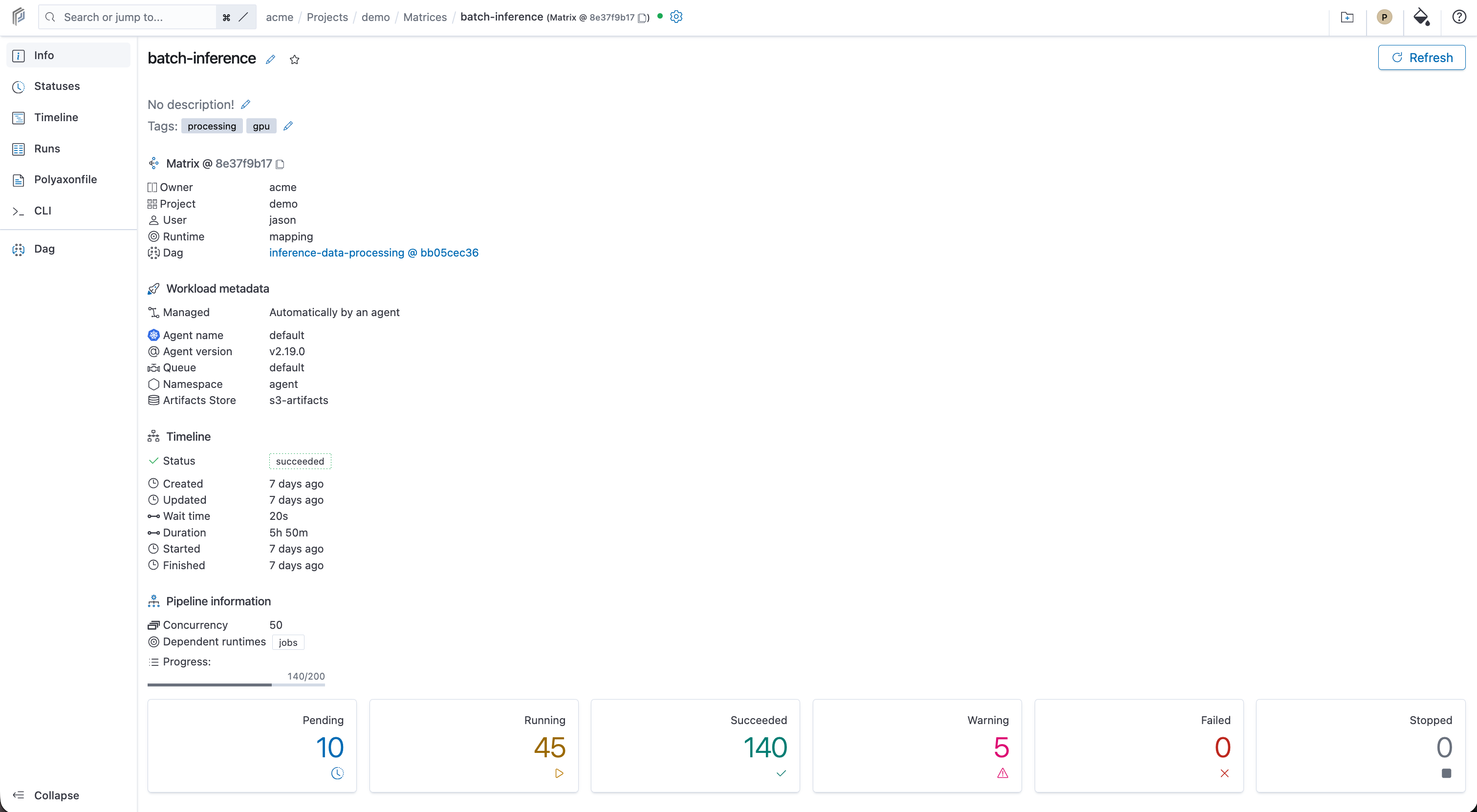
Open a matrix run and select Info. Under Pipeline information, you can see its concurrency setting, dependent run kinds, progress, and counts for Pending, Running, Succeeded, Warning, Failed, and Stopped runs.
The example below shows a batch-inference matrix. The Timeline block contains the parent run's status and timing; the cards at the bottom summarize its child runs.
Inspect individual runs
Open Runs to inspect the matrix's child runs and filter by status. For failed runs, open the run to read its status and logs. Use Timeline to compare start times and durations across the group.