You have tracked and scheduled the simulator, then used its managed environment interactively. Now use the same project to train a TensorFlow model and inspect its TensorBoard data.
This page reuses the quick-start project and working directory from Create a project.
If you have not created and initialized it yet, complete that page before continuing. This page assumes that Polyaxon and its execution agent are already running.
This example uses a public GitHub repo for hosting the project and the Polyaxonfile manifests. Similar results can be achieved using a local folder or other platforms, e.g. GitLab or Bitbucket.
Train the model
Start the TensorFlow experiment:
polyaxon run -p quick-start --url=https://raw.githubusercontent.com/polyaxon/polyaxon-quick-start/master/experimentation/simple.yaml -lThis guide passes -p quick-start explicitly. You can omit it while working from the directory initialized in Create a project.
For more details about this command, run
polyaxon run --helpor check the command reference.
The -l flag indicates that we want to stream the logs after starting the experiment.
The command creates a managed operation in the quick-start project. The Polyaxon Agent schedules its container as a Kubernetes job and streams its logs back to your terminal.
The component clones the quick-start repository, starts the polyaxon/polyaxon-quick-start image, and runs model.py. The script trains a Fashion-MNIST classifier with TensorFlow and Keras. Its Polyaxon callback logs training metrics, while its TensorBoard callback writes event files to the run's artifacts.
Copy the training run UUID printed by the command into the same variable in your local terminal:
export RUN_UUID=PASTE_RUN_UUID_HEREThis replaces the workbench UUID from the previous page.
Start TensorBoard
Start TensorBoard for the training run:
polyaxon run -p quick-start --hub tensorboard:single-run -P uuid=$RUN_UUID -wThe -w flag follows the service's status changes. Once it reaches running, press Ctrl+C to return to the terminal; this does not stop TensorBoard.
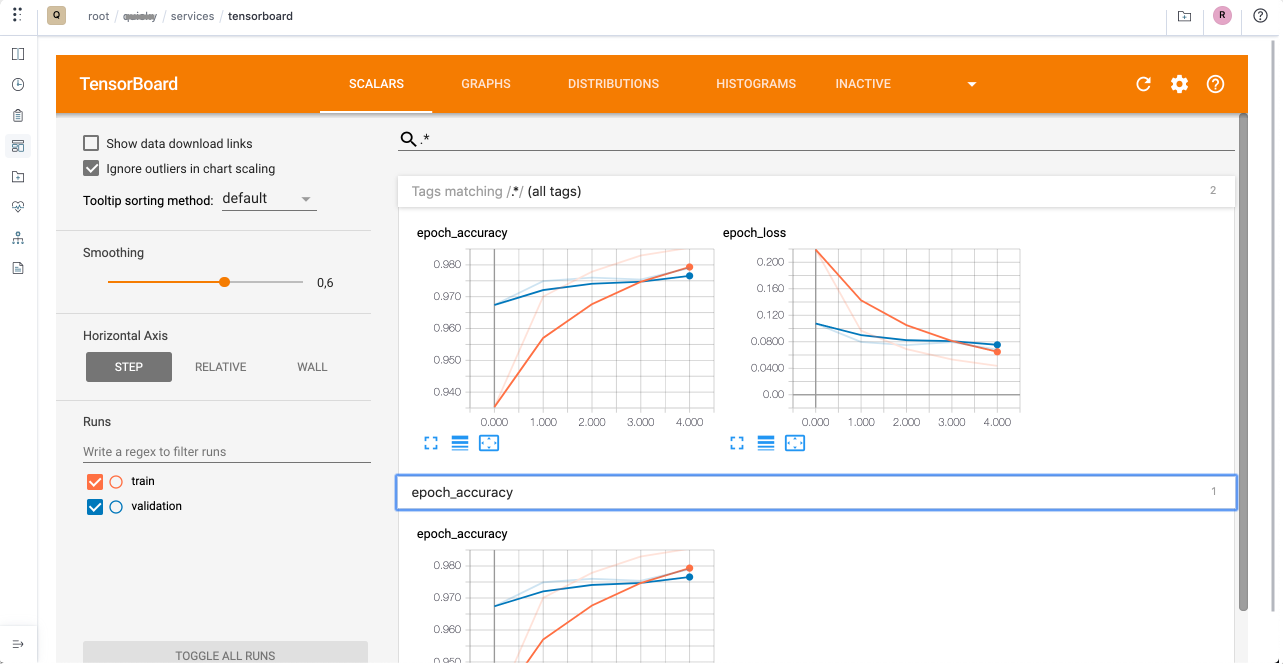
Let's check the results on the dashboard as well
polyaxon dashboard -yFor more details about this command, run
polyaxon dashboard --helpor check the command reference.
We can see that Polyaxon has logged some information automatically about our run:
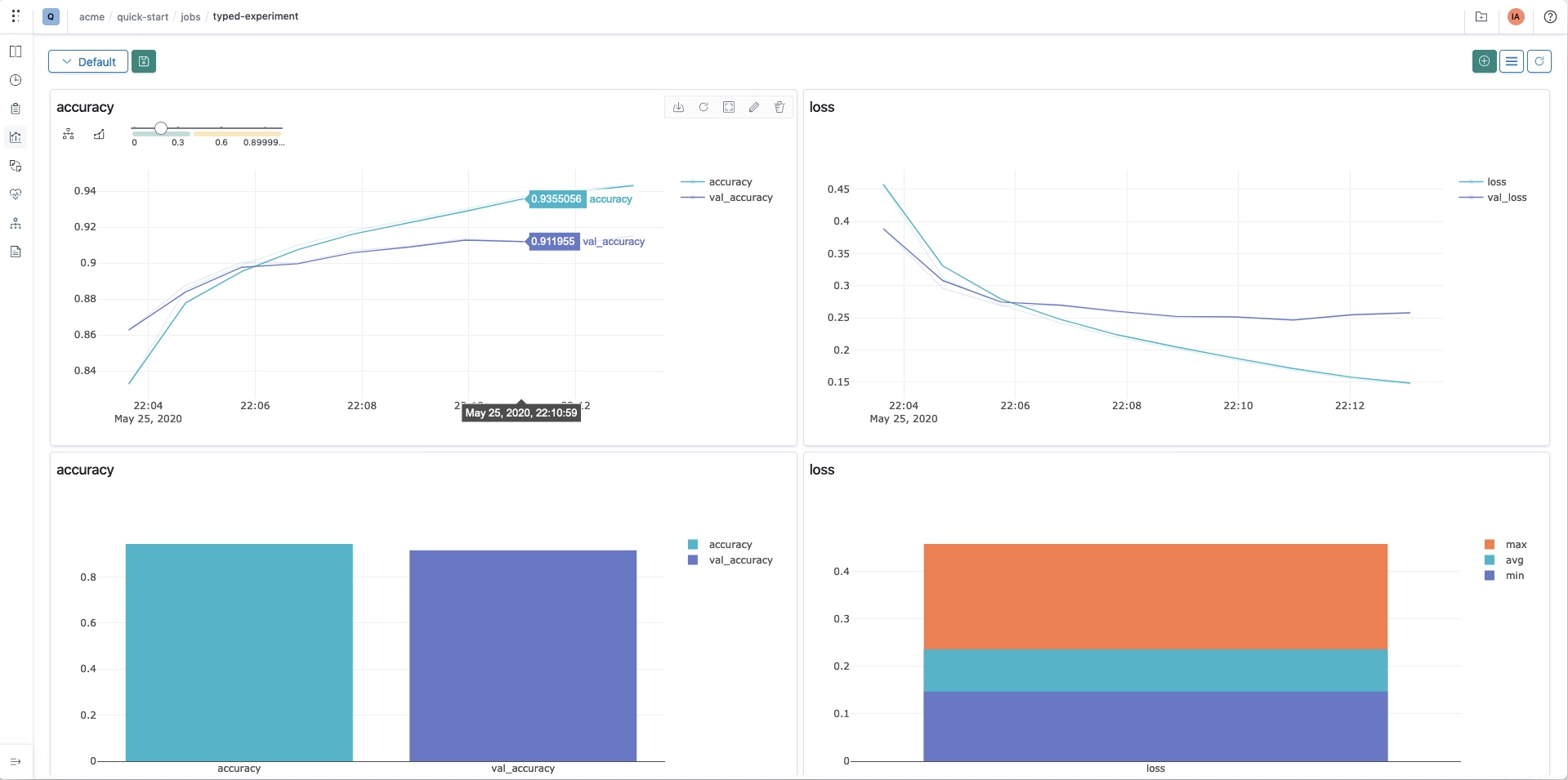
Please check the runs dashboard and the visualization section for more details.
Congratulations
You've trained a TensorFlow model with Polyaxon, inspected its tracked metrics, and visualized its results with TensorBoard.
Behind the scenes, a few things happened:
- You synced your GitHub project and used the last commit.
- You ran a container with a custom image and a custom command to train a model.
- You persisted your logs and outputs.
- You visualized the results using Polyaxon's native dashboard and TensorBoard.
To gain a deeper understanding of what happened and how Polyaxon can help you iterate faster with your experimentation process, please check the next section of this tutorial.