ML Metadata Store: Examples, Artifacts, and Lineage
Understand ML metadata with examples of runs, datasets, and model artifacts. Learn how a metadata store connects them and how to query them in Polyaxon.
An ML metadata store connects datasets, training runs, metrics, and model artifacts so you can trace a result back to its inputs. Large datasets and model files can live in object storage; the metadata identifies their locations and relationships rather than requiring every byte to live in one database.
For example, a ticket dataset contains the text and labels used to train a classifier. Its revision, split definition, row count, and producing run are metadata. The trained model.pkl is an artifact; its producing run, evaluation results, and retained file location let a teammate understand which model they are retrieving.
Use this guide to decide what metadata to retain and how to follow its lineage. For the logging code and comparison workflow, see ML experiment tracking: what to log and how to compare runs.
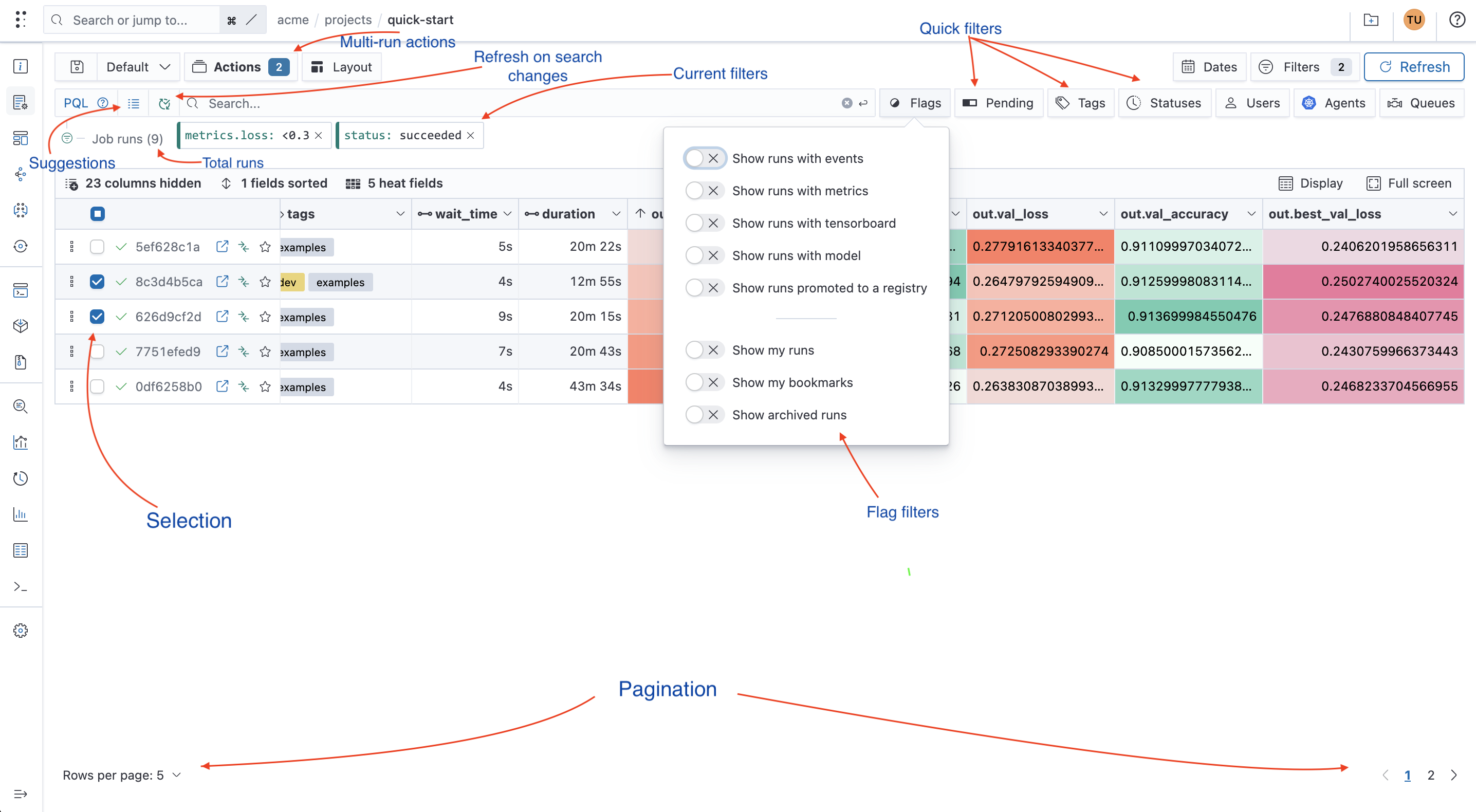
What is a metadata store?
There are various steps taken when building machine learning models. For instance, data pre-processing, model development, and fine-tuning the model, to mention a few. These steps generate some information such as:
- Model parameters.
- Model versions.
- Data set versions.
- Model evaluation metrics.
- Model evaluation charts.
Once the model development is complete, you put the model into production. Production models need to be monitored and retrained based on their performance in the real world. It would be challenging to manage such a model if one didn't save the information generated above. For example, it would be difficult to retrain a model without knowing the data it was trained on. Furthermore, it is exhausting to reproduce the model's results without knowing the parameters used to train it.
The store makes those records searchable and connects inputs to outputs. Experiment tracking supplies run-level evidence; a model registry names selected model versions; artifact storage retains the files. Keeping those responsibilities distinct helps you find both the result and the evidence needed to interpret it.
What is ML metadata?
Machine learning model development is an iterative process that leads to metadata creation at each stage. Some of the content is created by the various tools used to develop the model, while the engineer creates other metadata and content to make it easy to collaborate with other team members. This metadata also includes:
- Models code.
- Notebooks.
- Dataset samples.
- Prediction samples.
- Model type.
- Model training logs.
- CPU and GPU utilization.
- Where the model was executed, locally or on some cloud infrastructure.
- How long it took to train the model.
- The team member who trained the model.
- Documentation of the model development.
The above content shows some of the data generated during the model development process, but it's not exhaustive. The useful property is a connected record: which inputs and configuration produced an output, where its bytes are retained, and which later runs used it.
ML metadata store solutions
A metadata store enables you to store and track meta-information about your machine learning projects and experiments. You can keep this information in a text file or even a spreadsheet. However, a better solution is to use a managed metadata store that allows you to store all the meta-information and collaborate with your teammates.
Polyaxon provides an open-source SDK for building, training, and tracking your machine learning metadata, including ML models and datasets with semantic versioning. Polyaxon also provides extensive artifact logging and dynamic reporting with a seamless local and cloud integration.
With Polyaxon, you can perform simple experiments on your local machine and quickly move to cloud infrastructure. For example, you can perform simple experiments locally for a computer vision project and quickly move to a remote Kubernetes cluster to use more GPUs. Polyaxon will track and store your ML metadata whether you are working locally or remotely.
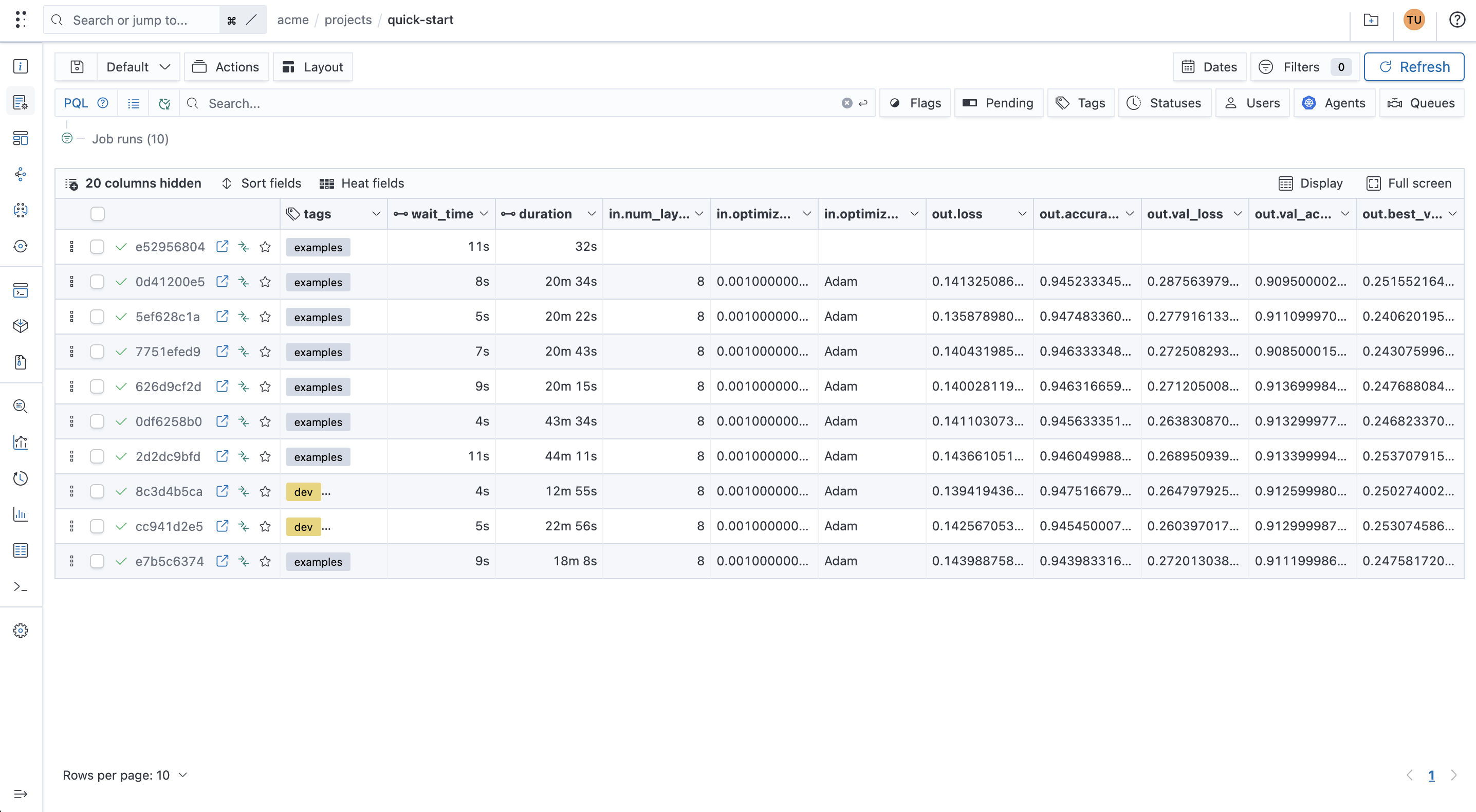
Furthermore, Polyaxon allows you to compare experiments to better understand the model's performance on different runs. You can also fetch model parameters enabling you to reproduce experiments. In a nutshell, Polyaxon provides a central place to manage all information relating to your machine learning model development process.
Metadata stored by Polyaxon
Polyaxon stores various types of model metadata. Let's look at some of them.
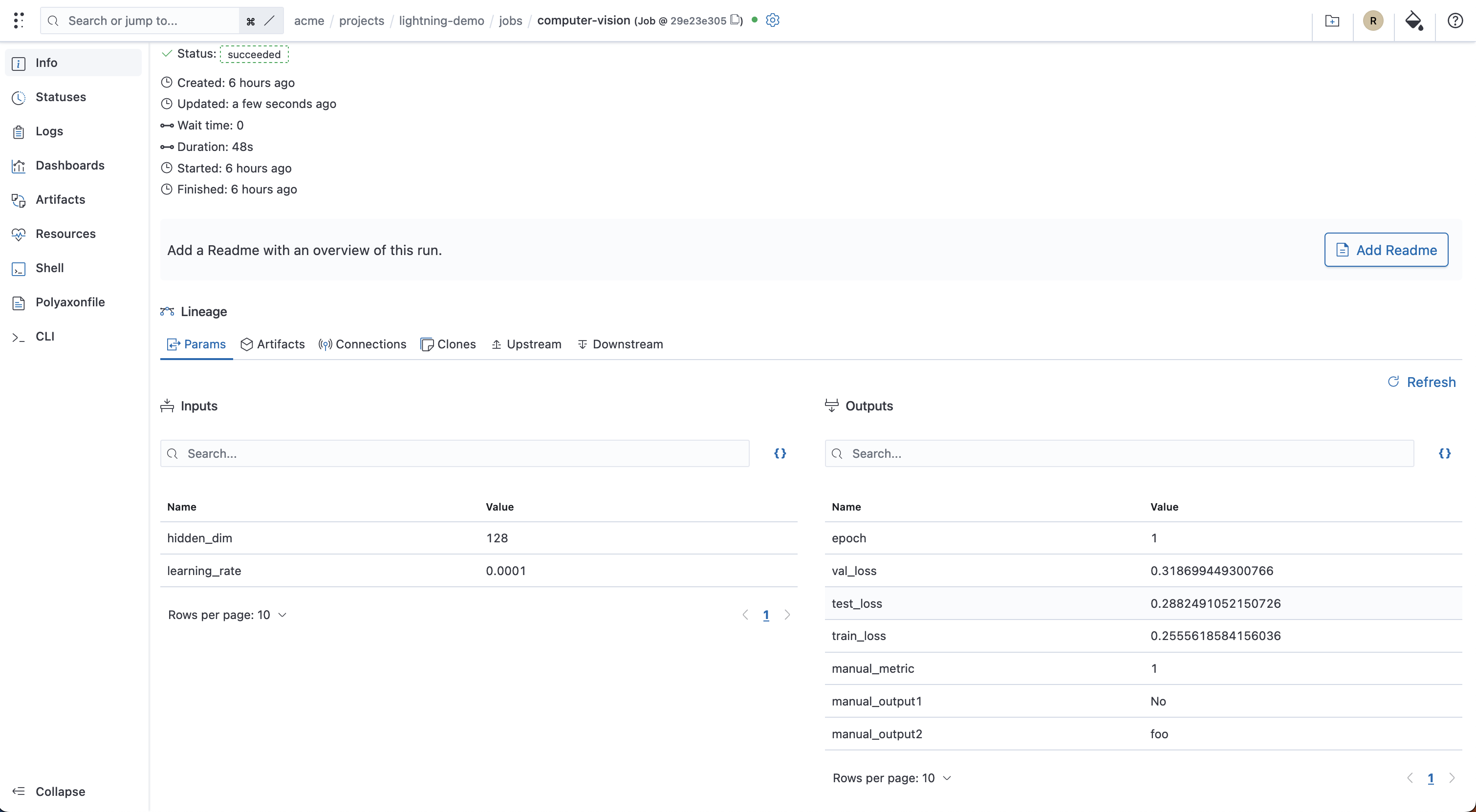
Metadata about experiments and model training runs
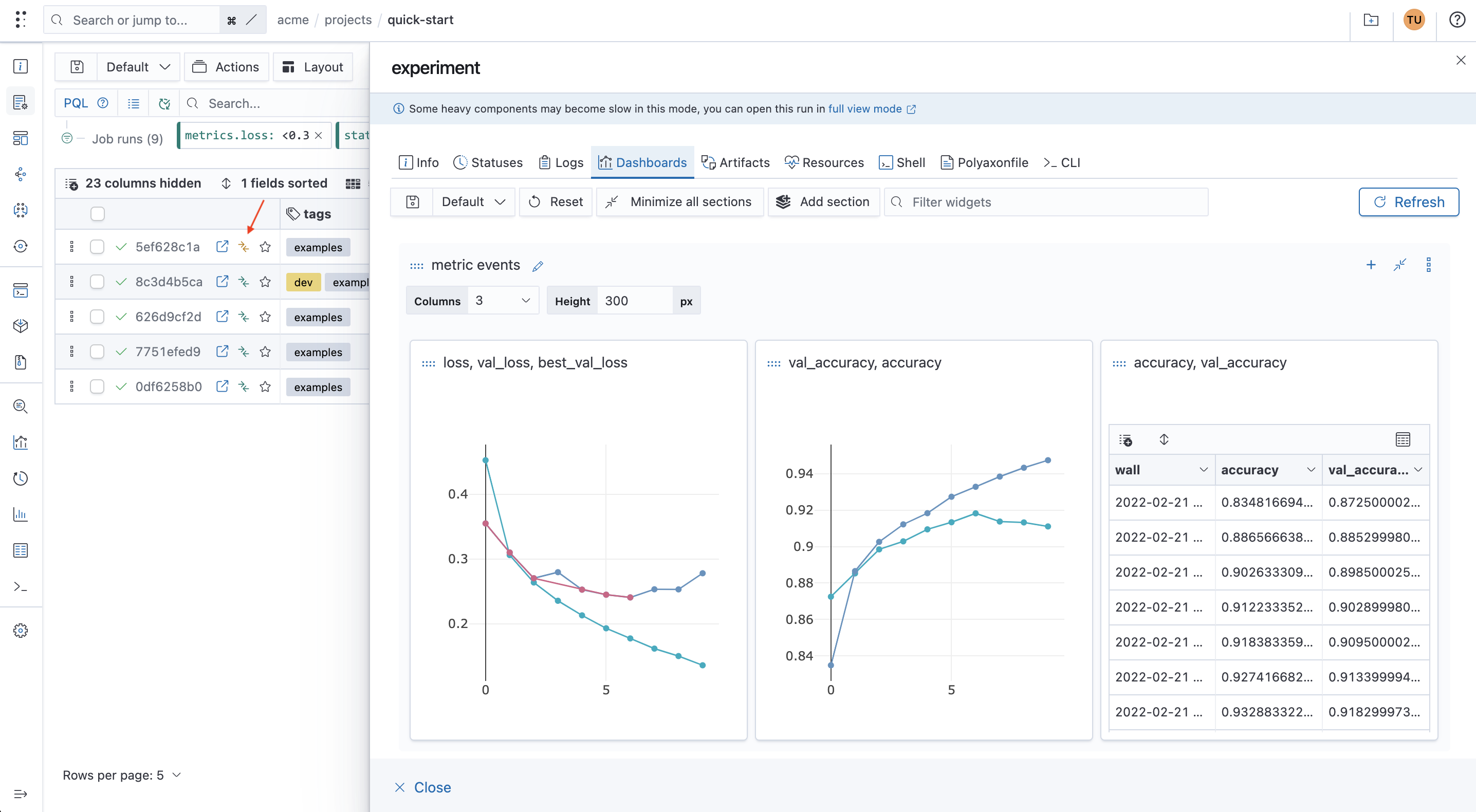
Polyaxon allows you to store metadata about experiments and model training runs. This information includes but is not limited to:
- Dataset version used for model training.
- Model hyperparameters yielding the best results.
- Training loss and metrics to understand if the model is learning.
- Validation metrics and loss for model selection, with final held-out test results recorded separately.
- Model predictions to get a rough idea of its performance.
- Hardware metrics to inform you of GPU and CPU utilization.
- Performance charts such as accuracy and loss plots, confusion matrix, Precision-Recall Curve, ROC curve, etc.
- Package versions to ensure the project runs without failing.
- Model training logs to make it easy to debug the project.
- Information that is specific to the domain of your problem.
Metadata about trained models
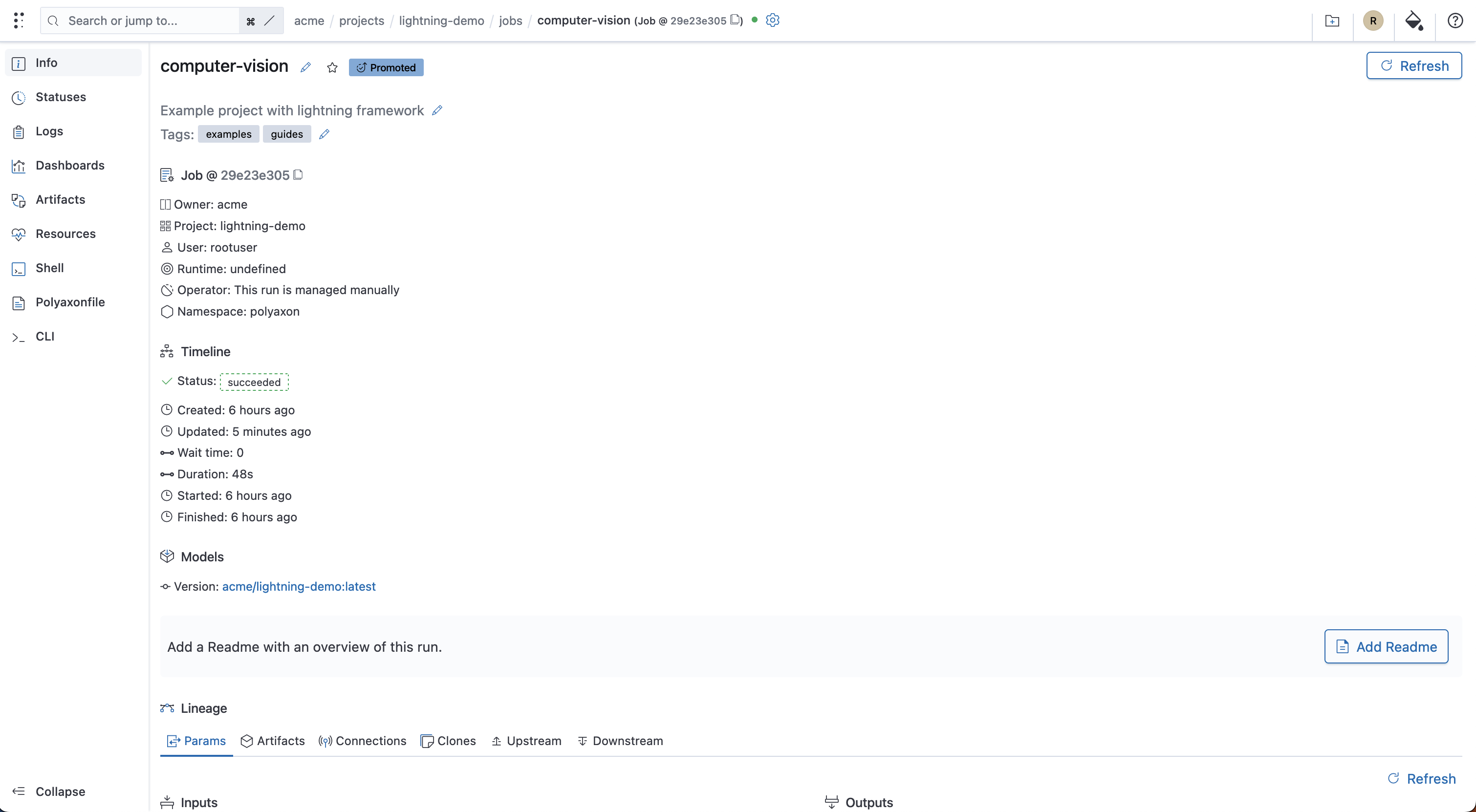
Polyaxon stores information regarding the trained models too. This information includes:
- The person who trained the model.
- Model version.
- The infrastructure used to train the model could be local or cloud.
- Machine learning packages used to train the model, for example, TensorFlow, PyTorch, Scikit-learn, etc.
- Model description.
- When the model was trained.
- How long it took to train the model.
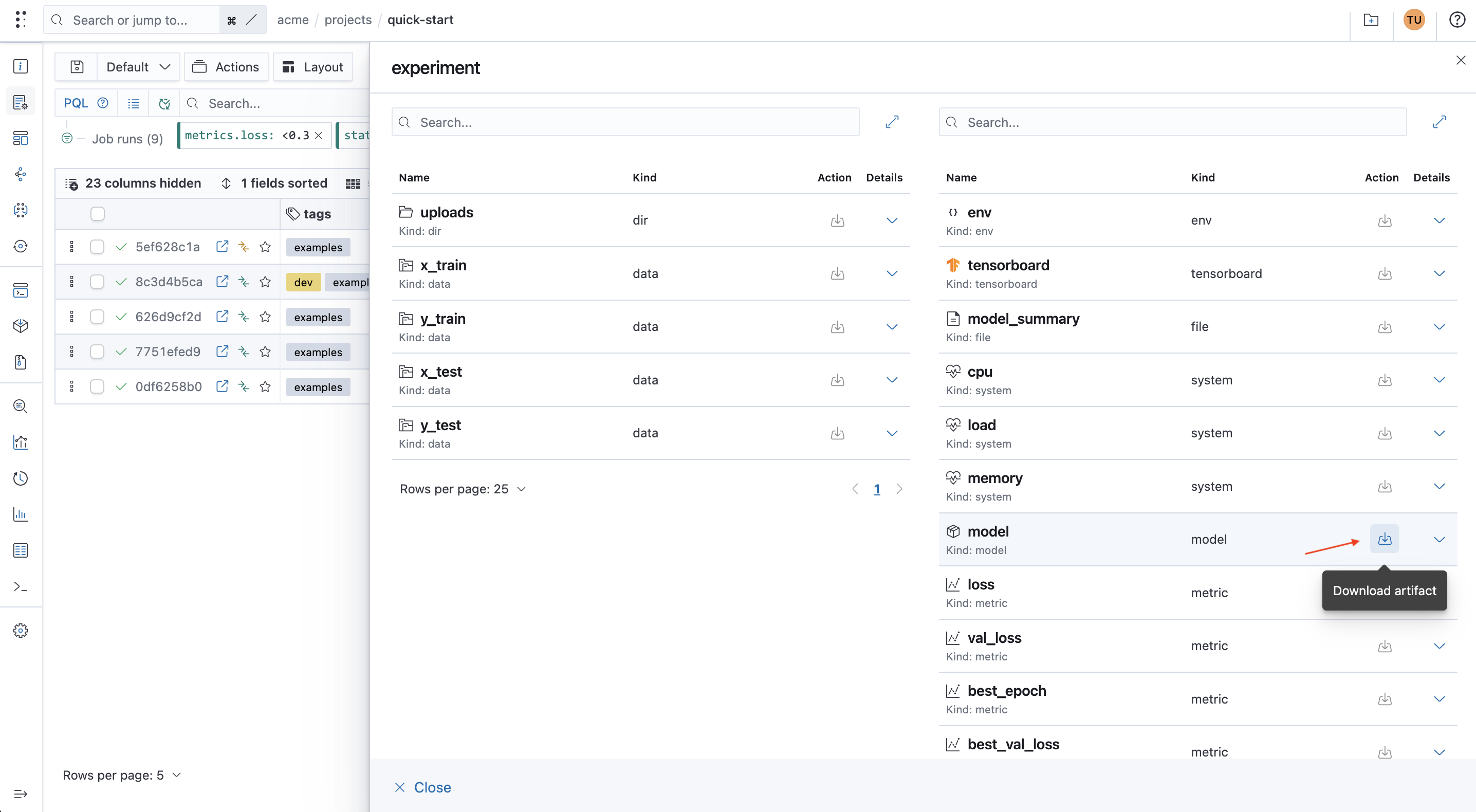
Your training code saves the model and logs its artifact or reference. A consumer can then retrieve that package using the configured storage access. Loading it still requires the appropriate framework, preprocessing assets, and compatible runtime.
Metadata about datasets
The producing run captures execution context, while your data preparation code logs dataset-specific information. Useful dataset metadata includes:
- The person who created the data.
- How long the data execution took.
- The infrastructure used to create the dataset.
- Dataset description.
- Dataset version.
- Dataset summary statistics, such as the number of rows and summary charts.
- The size of the data.
- Dataset execution logs.
- Any other data you would like to log about the data.
Connect the records to the stored bytes
For a ticket classifier, a useful lineage chain is preparation run → dataset snapshot → training run → model artifact → evaluation run → selected model version. Each arrow identifies an input or output relationship, not an assumption based on matching filenames.
| Record | What identifies it | Where the content lives |
|---|---|---|
| Dataset snapshot | Retained object version or manifest plus digest | Approved data store |
| Training run | Run UUID, code revision, parameters, and environment | Run metadata and configured artifacts store |
| Model file | Artifact name/path, producing run, and digest when recorded | Run artifacts or an explicitly referenced store |
| Selected model version | Registry version and linked run/artifacts | Registry metadata plus the underlying model package |
Use artifact logging to distinguish saving an asset from logging its reference. A reference alone does not upload a local file or prevent an external object from changing. Retain the source snapshot and define its access and retention policies along with the metadata.
To find candidate runs before following their lineage, query the measurements you actually recorded. This example assumes a ticket-classification project whose runs log validation_macro_f1:
polyaxon ops ls -p ticket-classification \
  -q "kind: job, status: succeeded, metrics.validation_macro_f1: >=0.8" \
  -s "-metrics.validation_macro_f1" -l 10
The threshold is an illustrative search condition, not a release rule. Inspect each candidate's dataset and evaluation revisions before treating the scores as comparable. Continue with metadata and artifact queries to retrieve the supporting evidence.
Document machine learning projects
Documentation is critical, especially when working in a team. Documenting a project makes it easy for teammates to contribute to a project. It also makes it easy for you to come back to the project in the future. In a company setting, it also makes it easy to onboard new team members to a project.
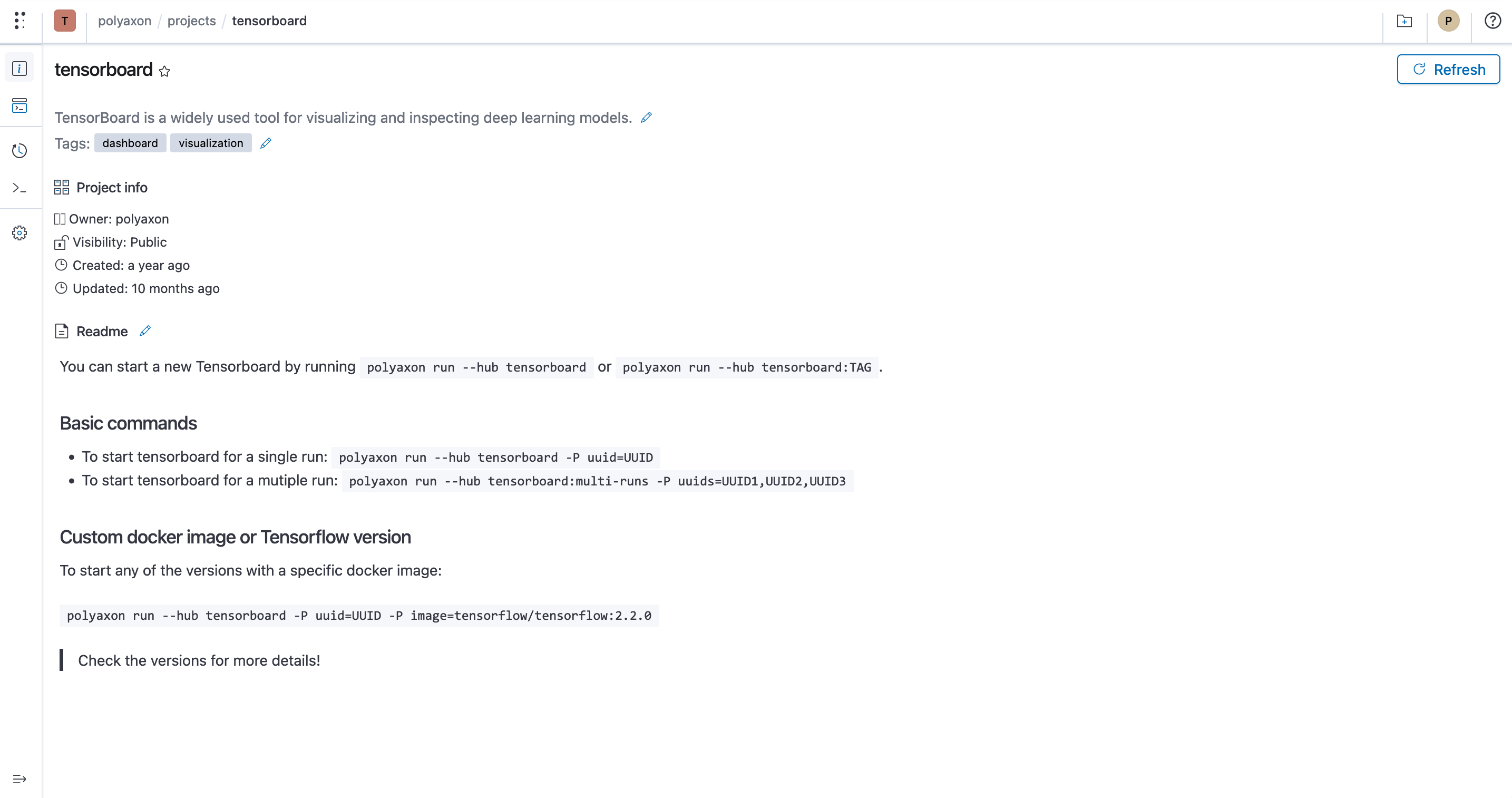
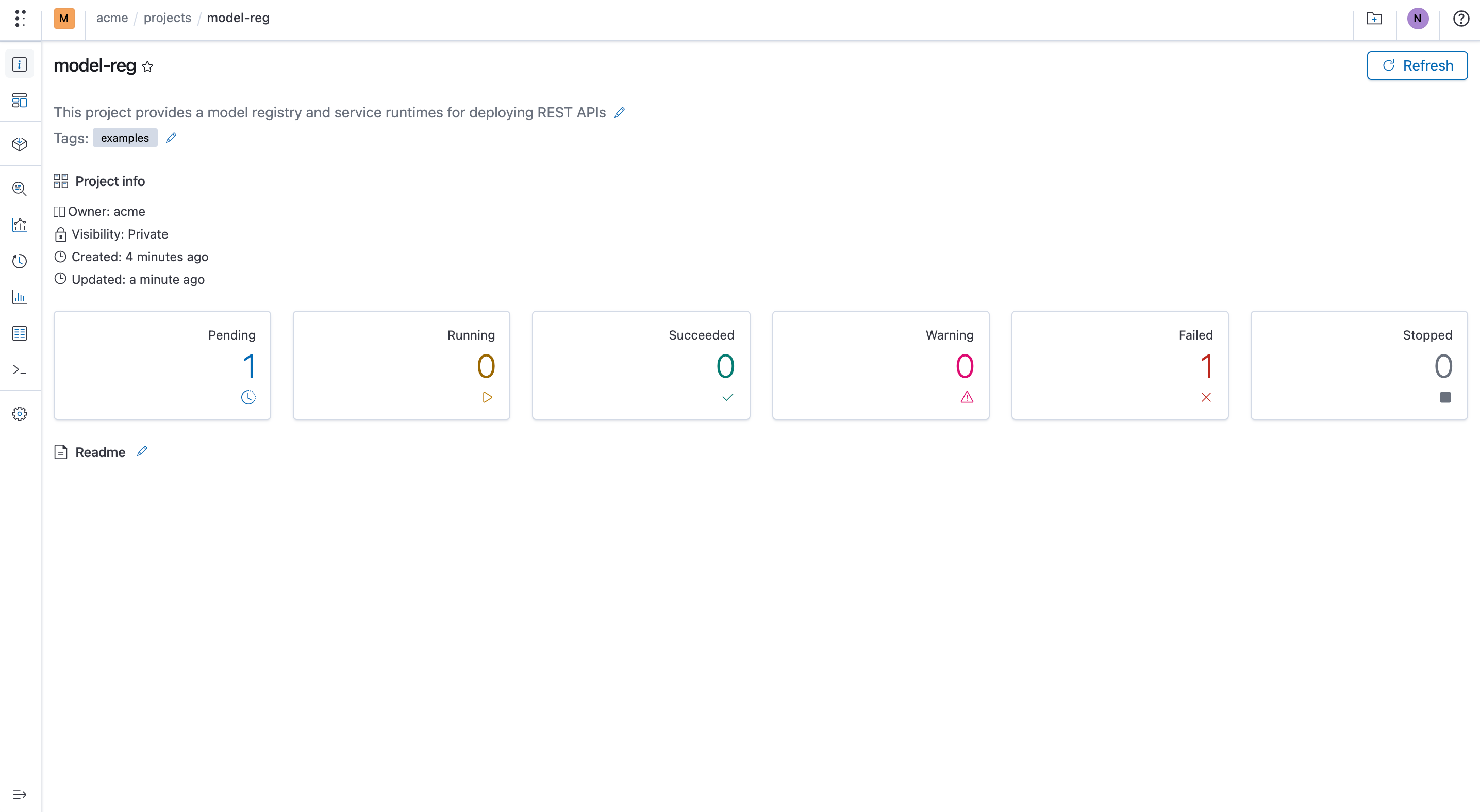
Polyaxon was built with this in mind. Polyaxon provides project, run, artifact, component, and model pages for documenting all entities. The documentation is provided in a README file.
Polyaxon also allows you to embed dynamic content to the README file. The dynamic content will appear on the project's page. For instance, you can embed model metrics, parameters, comparisons between different projects, and sample predictions on the page.
Why manage metadata in ML metadata store?
Storing machine learning metadata from experiments is important for a couple of reasons:
- Enables you to compare results from different experiments.
- Enables collaborative working within a team of data scientists by making processes more transparent and breaking work in silos.
- Reproduce previous experiments.
- Visualize results from different experiments.
- Easily find problems/errors in the model development process.
- Fetch specific dataset versions used for model training.
- Quickly fetch different model versions and use them for prediction.
Final thoughts
A machine learning metadata store is critical for machine learning teams that run a lot of experiments. Apart from storing all metadata about your projects, it makes it easy to collaborate on projects and reproduce results. The same tracking interfaces can record local and remotely scheduled work. Moving execution to a cluster also requires a runnable component, its dependencies, data access, and appropriate compute configuration; the notebook-to-job workflow covers that transition.
Visit Polyaxon to start building now! Don’t forget to join our Slack community, and follow us on Twitter and Linkedin for resources, events, and much more.