This is part of our commercial offering.
Polyaxon Agent (compute cluster) is the tool that allows orchestrating runs on the remote clusters.
Every organization comes with a default agent.
Create agents
Open Infra > Agents and select New Agent. Enter a name and, optionally, a hostname, description, and tags.

Once you create an agent, you can proceed to deploy it, please check the agent setup
Manage agents
The agent table shows status, user, version, and timestamps. Select an agent to review its configuration.

Agent settings
Open an agent's Settings tab to update its metadata, restart its services, or delete it.

Agent deployment
Open the agent's Deploy tab to view deployment configuration and manage its tokens. Deployment configuration is hidden until you select Show; the screenshot leaves it hidden.

Agent connections
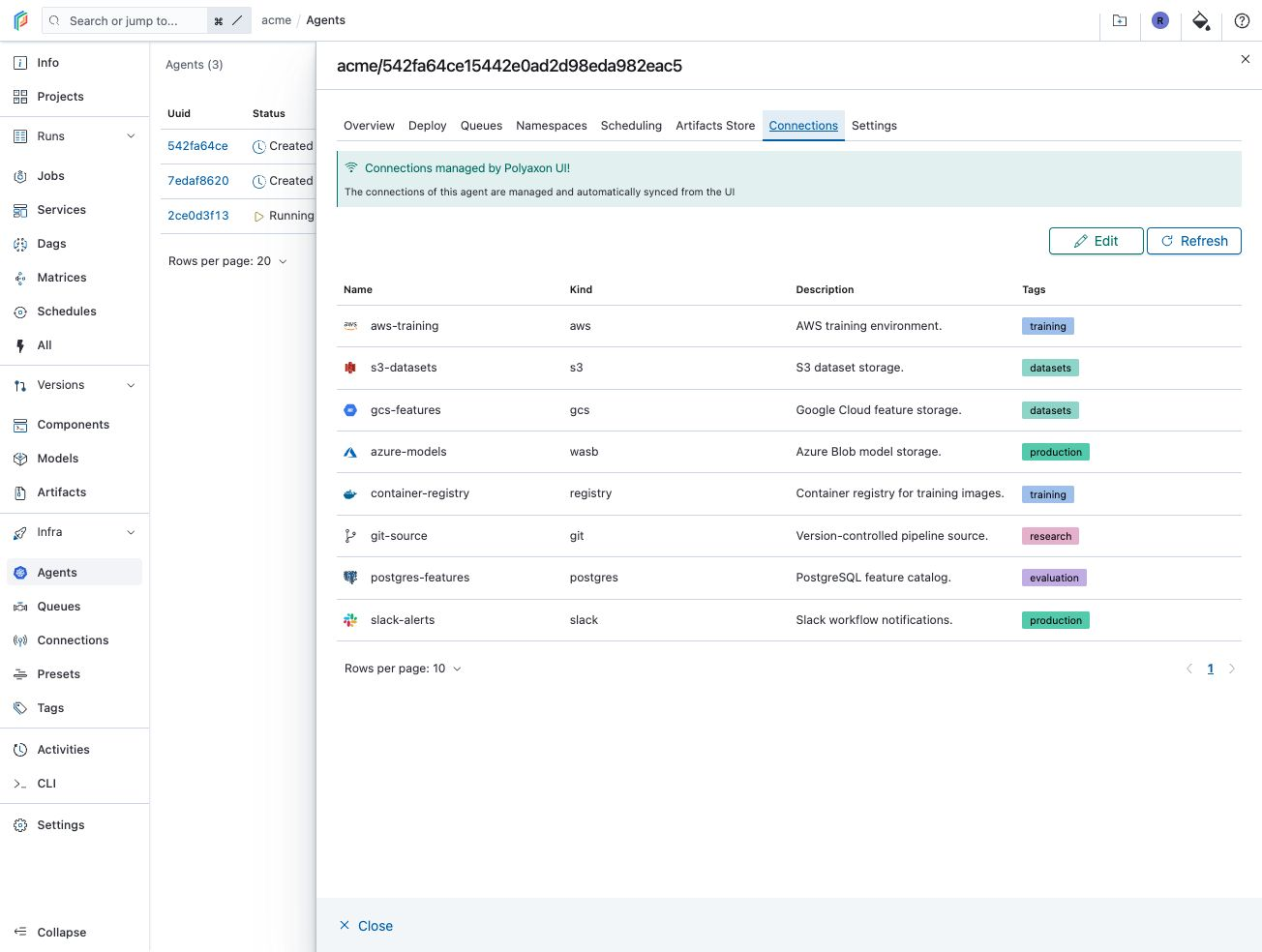
Open Infra > Agents, select an agent, and open its Connections tab to view the connections it can use.

To manage configuration through the UI, open Settings, select Enable UI management, and confirm the change. The screenshot below shows the control before enabling it.

Return to Connections. The green banner confirms that connections are managed and automatically synced from the UI. Select Edit to update the agent’s connections.