This is part of our commercial offering.
Organizations are an entity where businesses can collaborate across many projects at once. Owners and administrators can manage member access to the organization's data, projects, models, and components with sophisticated security and administrative features. Organizations can also have analytics, activities, and insights.
Create a new organization
If you have access you can create a new organization.

Selecting an organization
Open Search or jump to, choose Workspaces, and select an organization. The example below selects acme.

Organization overview
Every organization can manage Projects, a Model Registry, and a Component Hub.

Organization settings
Open organization Settings to manage the account through General, Billing, Defaults, Policies, Auth, Members, Teams, Service accounts, Cloud access, and Support.

General displays the organization name, visibility, and main owner. The example below uses the acme organization.

Organization auth management
By default, users can join your organization by invitation only using username, email, and password.
Open Settings > Auth to control Invitation only membership. The current deployment shows this setting enabled. Disabling it allows users to join with the member role without an invitation.

If you have oauth/SSO enabled:
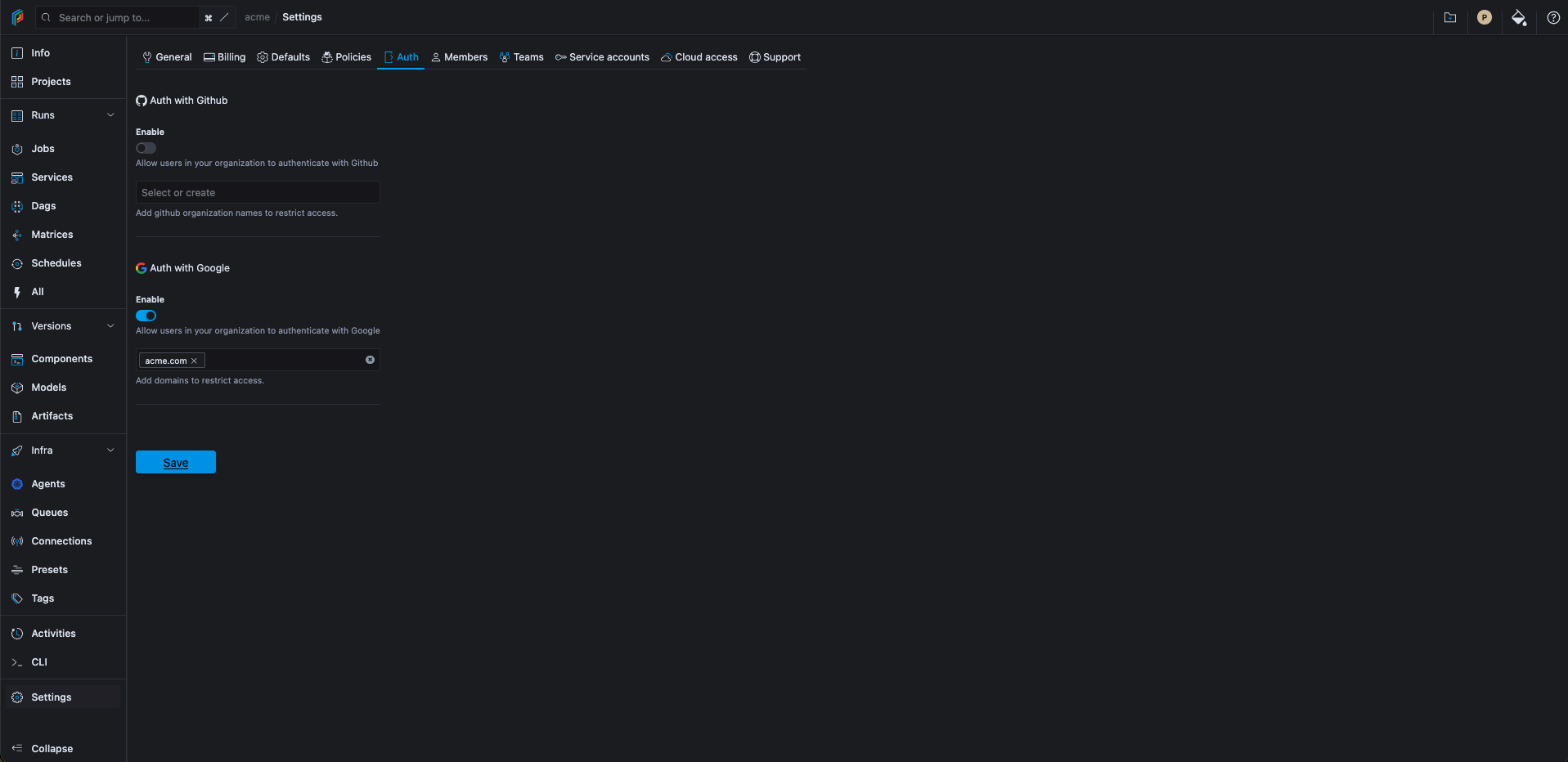
Note: In Polyaxon Cloud, users can only join using a valid invitation.
Organization Management
An organization can be further tuned to reflect the kind of access and scale you want to achieve.
- You can create and manage projects.
- You can manage the component hub.
- You can manage the model registry.
- You can create and manage agents to isolate and scale your workload over multiple namespaces and clusters.
- You can create and manage queues to set priorities, routing, and scheduling strategies.