
See it in code
Register a version. Use it in the next workload.
Register the reviewed training run as acme/model-reg:v1, record a stage change, then download that version for a job or service.
Follow the model-version guidefrom polyaxon.client import ProjectClient
registry = ProjectClient(project="acme/model-reg")
registry.register_model_version(
version="v1",
run="TRAIN_RUN_UUID",
artifacts=["model", "env"],
description="Reviewed training candidate",
)
# acme/model-reg:v1 retains the training-run reference.Replace TRAIN_RUN_UUID with a run that logged model and env artifacts. These calls require an authenticated client and an accessible registry project. A stage change records review status; the consuming workload explicitly loads the downloaded files.
Keep the selected output linked to its source
Register a model version from a run and choose the artifacts it contains. The version records the source run alongside its name and metadata, so a reviewer can inspect the experiment behind the selected model rather than receiving an unexplained file.
Use artifact versions for other reusable outputs, such as generated datasets or evaluation reports. Registration organizes the selection; the underlying artifacts still need storage and retention settings appropriate to the workload.
Inspect the version before handing it off
The version view brings its lifecycle stage, source run, and selected artifact paths together. In this documentation example, acme/model-reg:v1 links to a run and includes the model and environment artifacts.
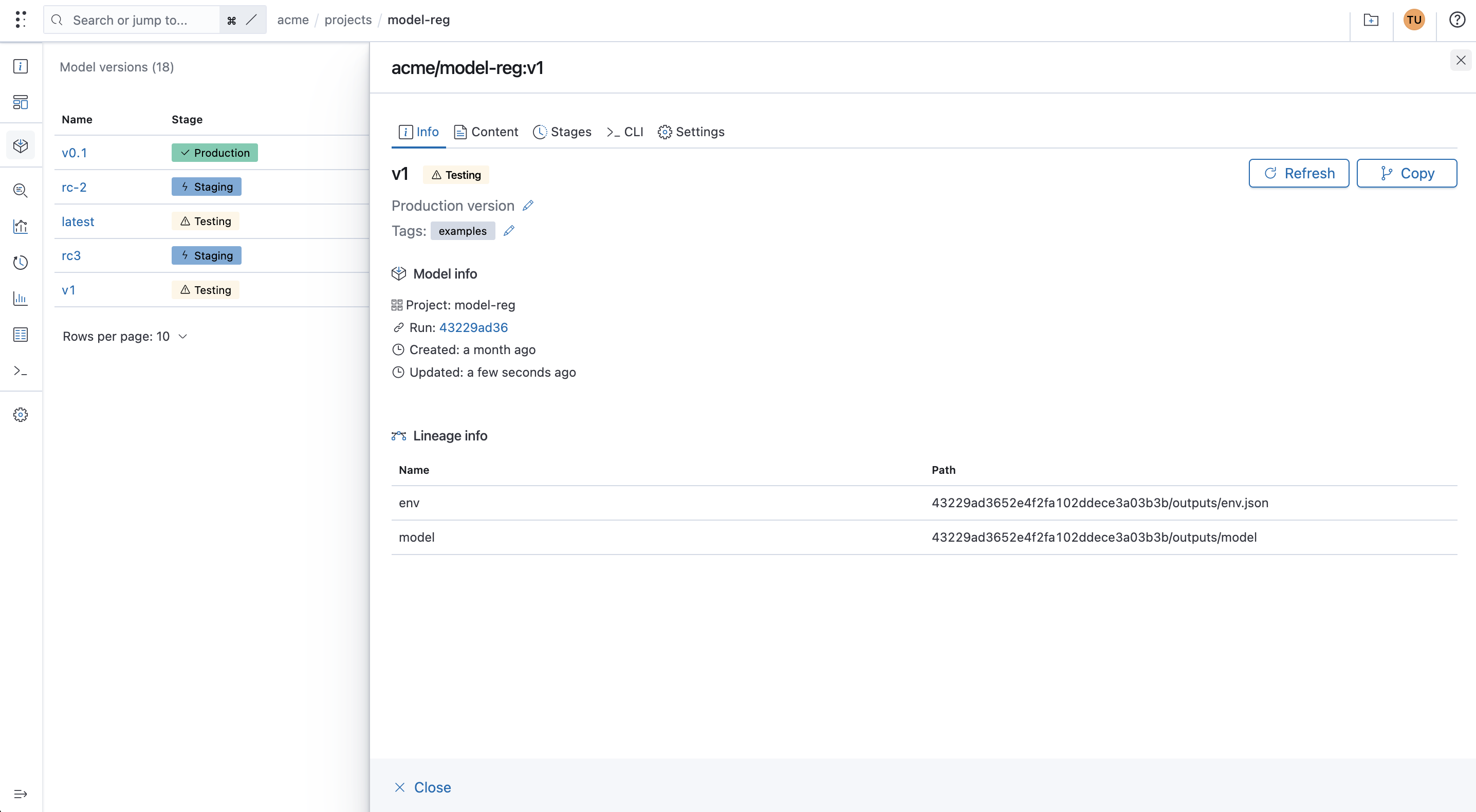
Make selection and deployment separate decisions
Update a version's stage to reflect your team's review process, with a reason and message for the change. Pair registration or stage changes with workflow conditions and manual approval when a model needs to meet an evaluation requirement first.
Consumers still need to request and load the chosen version. Marking a model as production does not run a deployment, validate the model, or move traffic to it. Define those actions in your serving or batch workflow.
The Pull tab downloads acme/model-reg:v1 and its linked artifacts. A model service can load those files during startup, or a batch-scoring job can load them before processing a dataset. Record this version in the consuming workload's configuration.
Choose a version naming and permission policy that preserves the references you rely on. The registration API supports explicit overwrites, so a version name alone is not an unconditional immutability guarantee.
Version the workflow definition as well as its outputs
The Component Hub stores reusable component definitions: the recipe for running a job, service, or workflow. A model or artifact version identifies the output you want to reuse. They serve different purposes and can be used together.
For example, a team can publish a scoring component and pass it a selected model and dataset. Reference an explicit component version when the workflow needs a stable definition; omitting it lets the hub resolve its default latest version.