Transfer files to Polyaxon workspaces over SSH
Use Polyaxon's generated SSH host with native SCP and SFTP to move files into and out of a running service workspace.
An editor can connect to a Polyaxon workbench over SSH, but sometimes the next step is simpler: copy an input file in, or bring a result file back to your laptop. Polyaxon's SSH access lets native file-transfer tools use the same authenticated route and host alias as your terminal.
Our SSH workbench guide covers service setup, IDE connection, port forwarding, and tmux. This companion follows the file itself. It uses SCP for a direct copy and SFTP when you want to inspect a remote directory before transferring. The SSH plugin arrived in Polyaxon 2.16.
Prepare one SSH-enabled workbench
You need a running Polyaxon service with plugins.ssh: true, permission to access it, a local OpenSSH client, and a remote directory that your service user can write. The sandbox quick start creates a service with a writable /workspace volume and enables SSH. You can reuse that service, or the one from the SSH workbench guide.
Set the UUID from the run's output in your local terminal. Then have Polyaxon prepare your key and host-key record:
export RUN_UUID=PASTE_RUN_UUID_HERE
polyaxon ssh setup -p quick-start -uid "$RUN_UUID"
polyaxon ssh config -p quick-start -uid "$RUN_UUID"
Review the printed config block and add it once to your local ~/.ssh/config. Do not repeatedly append the same host entry. The generated alias is polyaxon-<run-uuid>; its ProxyCommand uses your configured Polyaxon CLI and credentials. Polyaxon routes the connection through its authenticated tunnel, while your SSH client still checks the service host key. Confirm the alias works before copying data:
ssh "polyaxon-$RUN_UUID" pwdThe examples below assume the writable /workspace from the quick start. Use the path provided by your own image or persistent-volume connection when different.
Copy one input with SCP
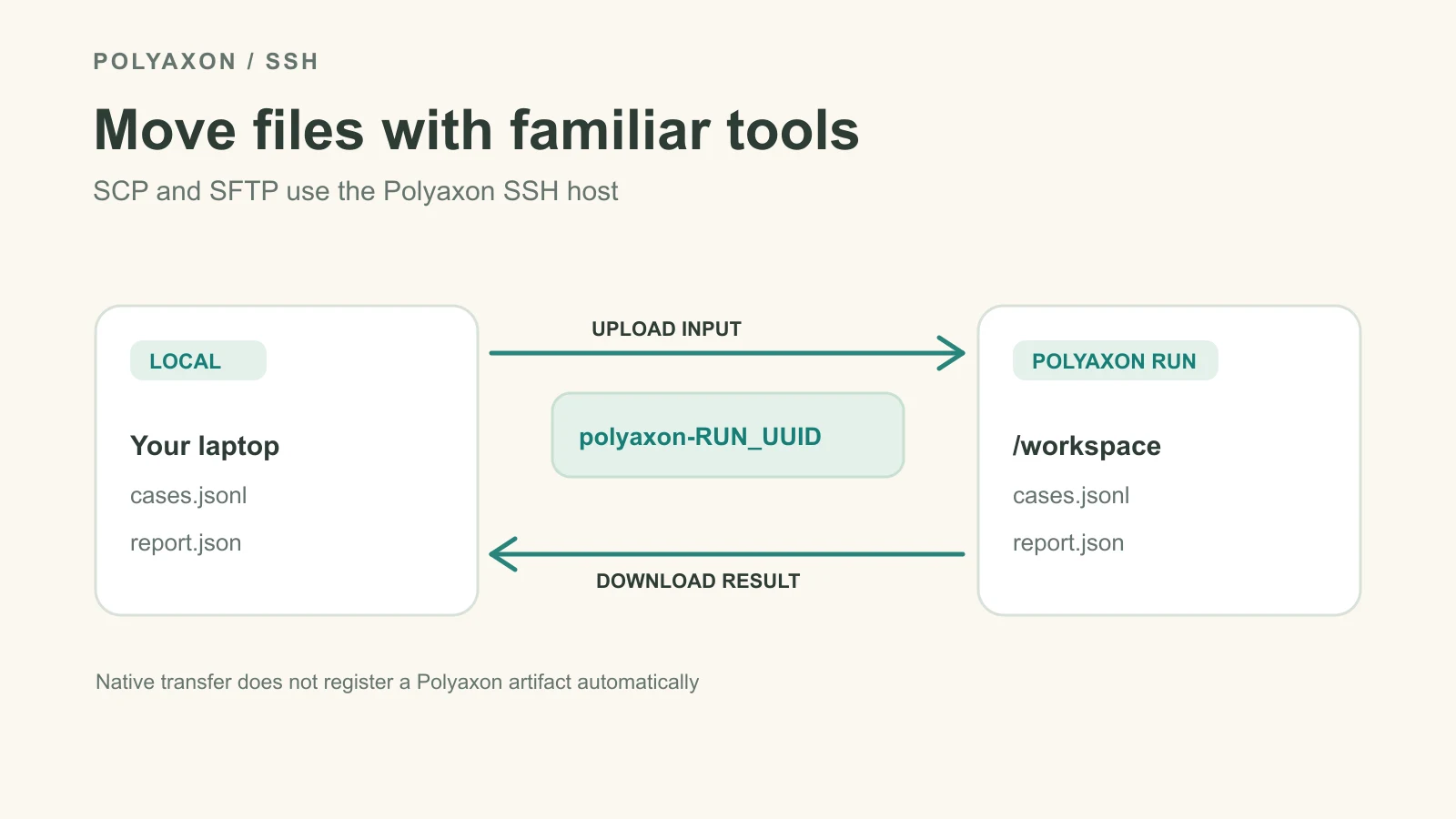
Suppose ./cases.jsonl is a local input and the service will read /workspace/cases.jsonl. Copy it with the generated host alias:
scp ./cases.jsonl "polyaxon-$RUN_UUID:/workspace/cases.jsonl"
ssh "polyaxon-$RUN_UUID" 'ls -l /workspace/cases.jsonl'
The file is now in the service container's mounted workspace. This action does not upload it to the Polyaxon artifact store or add dataset lineage by itself. Check permissions, file size, and the contents expected by your application before starting work.
After your application writes /workspace/report.json, retrieve it to the current local directory:
scp "polyaxon-$RUN_UUID:/workspace/report.json" ./report.jsonThe OpenSSH SCP manual documents the host:path form and recursive copies with -r. Current OpenSSH SCP normally transfers over SFTP; you do not need to select the legacy SCP protocol for this workflow. For directory copies, inspect symlinks and total size first: scp -r follows symlinks it encounters.
Inspect and transfer with SFTP
SFTP opens an interactive file-transfer prompt through the same SSH config alias:
sftp "polyaxon-$RUN_UUID"At the sftp> prompt, use these commands as needed:
ls /workspace
put ./cases.jsonl /workspace/cases.jsonl
get /workspace/report.json ./report.json
bye
put and get move files in the directions indicated; ls lets you confirm the remote location first. The OpenSSH SFTP manual covers batch and recursive modes when interactive transfer is not enough.
If you already use rsync, the generated SSH host can also serve as its destination, but rsync must exist both locally and in the service image. It is useful for larger changing trees; SCP and SFTP are simpler for one or two files. Avoid assuming every minimal container includes rsync.
Keep the right copy
/workspace in the quick start is an emptyDir: it disappears when the Pod is replaced or the run stops. Retrieve needed results first, or write them to a persistent connection or Polyaxon's run artifacts. Native SSH tools transfer bytes; your application still owns naming, validation, and dataset or model version records.
When you are done with a disposable workbench, stop the selected run with polyaxon ops stop -p quick-start -uid "$RUN_UUID". Its generated host alias will no longer point to a running service. For single-file transfers without SSH setup, the sandbox CLI workflow uses polyaxon sandbox upload and download against an existing sandbox-enabled service.