Run a sandbox workflow from the Polyaxon CLI
Start a sandbox-enabled Polyaxon service, upload two files, run a command, download its result, and release the workspace from the CLI.
You have a small script and a JSON input on your laptop. You want to run them inside a known Polyaxon environment, retrieve the result, and close that environment when you finish. The sandbox CLI introduced in Polyaxon 2.16 covers that loop without writing a controller application.
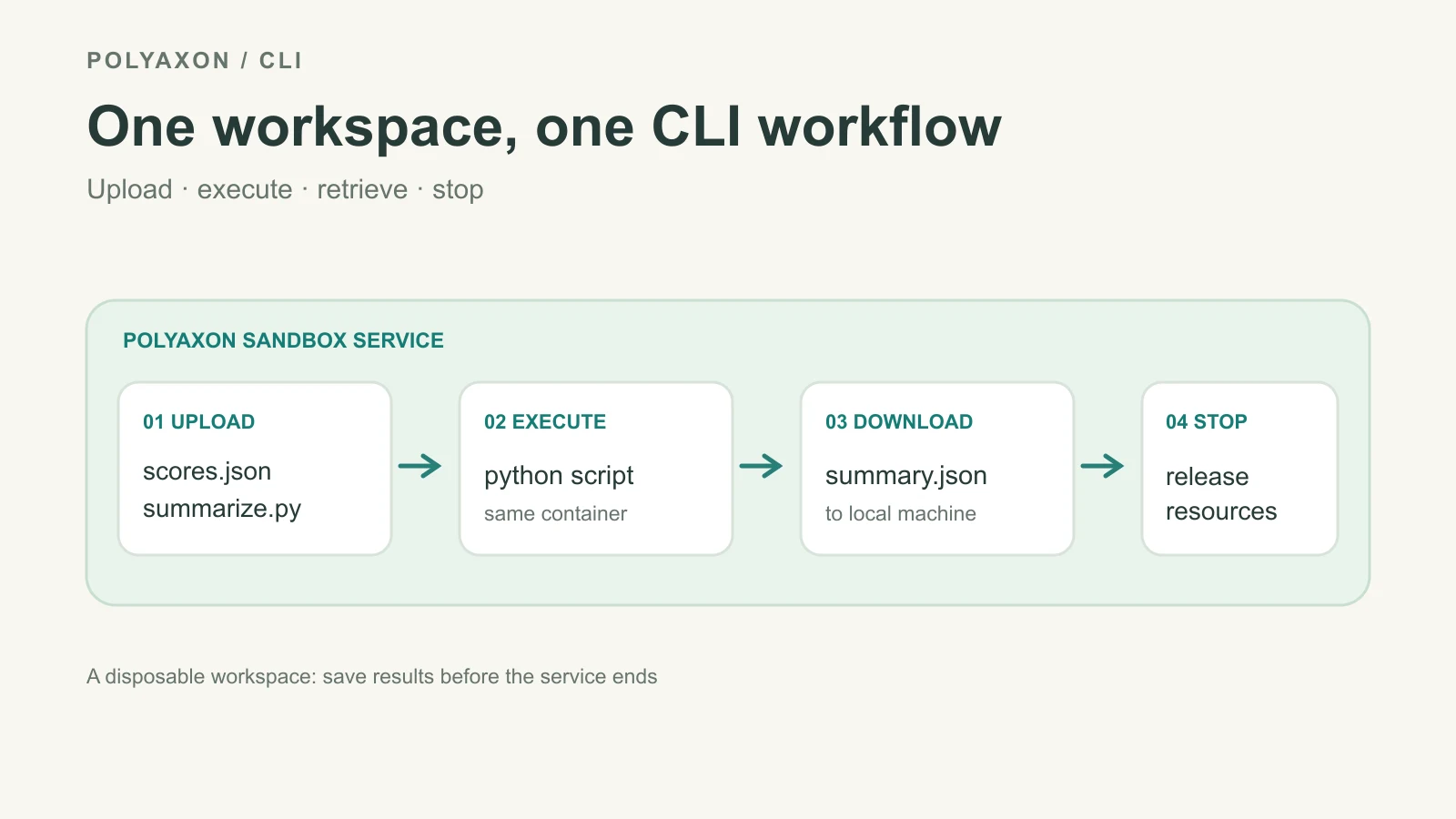
This walkthrough uses one disposable service and only CLI commands. The Python sandbox client is a better fit when an application owns many workspaces; our terminal guide explains PTY sessions. Here every command targets one explicit project and run UUID.
Start a disposable workspace
You need an initialized Polyaxon client, a project that can launch services, and sandbox support enabled by your deployment administrator. Save this component as sandbox-cli.yaml:
version: 1.1
kind: component
name: cli-workspace
plugins:
  sandbox: true
run:
  kind: service
  volumes:
    - name: workspace
      emptyDir: {}
  container:
    image: python:3.12-slim
    workingDir: /workspace
    command: ["sleep", "infinity"]
    volumeMounts:
      - name: workspace
        mountPath: /workspace
Start it from your local terminal, copy the returned UUID, and wait for the run to reach running:
polyaxon run -p quick-start -f sandbox-cli.yaml
export RUN_UUID=PASTE_RUN_UUID_HERE
polyaxon sandbox ping -p quick-start -uid "$RUN_UUID"
sandbox ping checks a ready service; it does not wait for the service to start. The quick-start project is illustrative—use your actual project if different. The emptyDir workspace is writable scratch space tied to this Pod, so download the result before stopping or replacing it.
Prepare one local input and script
Create scores.json locally:
{"candidate":"router-v2","scores":[0.8,0.6,0.7]}Save this small standard-library script as summarize.py beside it:
import json
from pathlib import Path
from statistics import mean

workspace = Path("/workspace")
payload = json.loads((workspace / "scores.json").read_text())
scores = payload["scores"]
if not scores or not all(isinstance(value, (int, float)) for value in scores):
    raise ValueError("scores must be a nonempty list of numbers")

summary = {
    "candidate": payload["candidate"],
    "count": len(scores),
    "mean_score": mean(scores),
}
(workspace / "summary.json").write_text(json.dumps(summary, indent=2) + "\n")
print("Wrote /workspace/summary.json")
These numbers are a synthetic file-transfer example, not a model evaluation. A real evaluator must define its own cases, metric, and acceptance rule.
Upload, execute, and retrieve
Upload each file to the same running service. The CLI's upload and download commands transfer one file per invocation; use SSH tools or a persistent data connection for a directory-scale workflow.
polyaxon sandbox upload -p quick-start -uid "$RUN_UUID" ./scores.json /workspace/scores.json
polyaxon sandbox upload -p quick-start -uid "$RUN_UUID" ./summarize.py /workspace/summarize.py
polyaxon sandbox ls -p quick-start -uid "$RUN_UUID" /workspace
polyaxon sandbox exec -p quick-start -uid "$RUN_UUID" --stream -- python /workspace/summarize.py
polyaxon sandbox download -p quick-start -uid "$RUN_UUID" /workspace/summary.json ./summary.json
The exec command runs another process inside the existing service container. It does not submit a separate Polyaxon job. --stream displays its output as it arrives; for a short command, omit the flag and receive a buffered result. Inspect the command's exit status before treating summary.json as a successful result. Open the downloaded file locally and check that its candidate and count match the input; the example script only computes an arithmetic mean.
The sandbox CLI reference also has shell for interactive work and exec --detach plus logs for a background command. Each sandbox shell invocation creates a new PTY; it does not reattach to an older one. Use the reconnectable shell guide when keeping a human shell session matters.
End the service after saving results
Once summary.json is safely local, stop the service:
polyaxon ops stop -p quick-start -uid "$RUN_UUID"For results that must remain part of the experiment record, write them to the run's configured artifact outputs or a persistent connection instead of relying on /workspace. The CLI makes the immediate edit-run-download loop convenient; Polyaxon operations and artifact tracking remain the durable boundary for production training and evaluation.