Azure Storage best practices for ML data and artifacts
Design Azure Storage accounts for ML datasets and artifacts with clear boundaries, workload identities, network controls, lifecycle rules, and recovery tests.
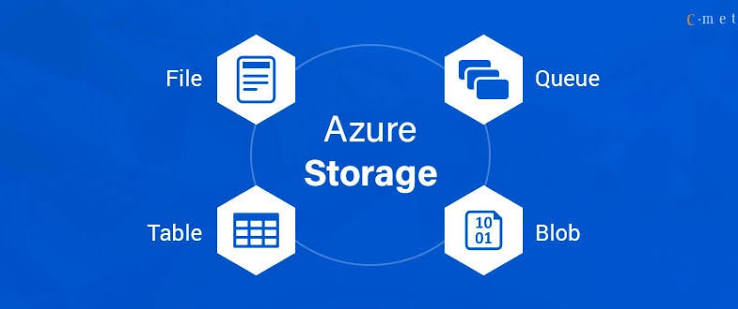
An Azure Storage account is more than a billing container. It creates a boundary for identity, networking, encryption, availability, performance, monitoring, and lifecycle policies. Putting every dataset, checkpoint, and model in one account may simplify the first connection while making later access reviews and incident containment much harder.
Design accounts and containers around data sensitivity, environment, ownership, access pattern, and recovery requirements. Then give workloads access to the smallest path they need.
Define storage boundaries first
Inventory the data flows before creating accounts:
- raw and curated datasets;
- feature or embedding outputs;
- training checkpoints and run artifacts;
- model candidates and released packages;
- notebook and temporary exports;
- logs, audit evidence, and backups.
Record owner, classification, region, retention, expected size, object count, read/write pattern, consumers, and deletion process. Separate production from development and isolate especially sensitive data. Avoid an account-per-run design, but do not use one global account when teams or environments need independent policies.
The Azure Well-Architected guidance for Blob Storage covers reliability, security, cost, operations, and performance tradeoffs. Use those requirements to define the boundary rather than copying a generic account layout.
Prefer workload identity over shared keys
Authenticate users and workloads through Microsoft Entra ID and managed identities where supported. Assign data-plane roles at the narrowest practical scope, review them regularly, and keep control-plane permissions separate from permission to read object contents.
Avoid distributing account keys or long-lived shared access signatures through notebooks and configuration files. When a signed token is required, constrain its resource, operation, network, and lifetime. Rotate credentials and test revocation.
Microsoft's storage security guidance organizes controls across identity, network security, data protection, logging, governance, backup, and recovery. Apply the relevant controls to every access path, including batch jobs and temporary troubleshooting tools.
Restrict network paths
Decide whether public network access is required. Use private connectivity and network rules where the workload architecture supports them. Confirm DNS, routing, and firewall behavior from each cluster and recovery environment before enforcing the restriction.
Limit egress from ML workloads so a compromised container cannot send data to arbitrary destinations. Keep storage access in a dedicated connection managed by the platform rather than embedding endpoint and credential logic throughout training code.
Test failure behavior. A denied storage request should fail clearly, not trigger an application fallback that writes sensitive artifacts to local ephemeral storage or another ungoverned account.
Match layout to access patterns
Choose services and tiers from workload behavior. Large training shards, many small metadata objects, checkpoint writes, and model downloads stress storage differently. Benchmark representative object sizes and concurrency from the same region and compute environment used in production.
Use stable container and prefix conventions for project, data class, and lifecycle. Do not expose tenant or sensitive business data in object names. Avoid letting every run create an unbounded top-level namespace that becomes difficult to enumerate and govern.
For training data, measure throughput and accelerator wait time. For checkpoints, test write duration and recovery. For model serving, test cold-start download time and local caching. Storage utilization alone does not reveal whether expensive compute is idle while waiting for data.
Apply lifecycle rules with recovery in mind
Classify objects as active, retained, archived, or eligible for deletion. Use lifecycle rules to transition or remove data by prefix, tags, age, or other supported conditions. Keep legal, security, and reproducibility requirements in the policy.
Azure explains how lifecycle policies move or delete blobs in its lifecycle management overview. Model transaction, retrieval, minimum-retention, and latency effects before moving many small or frequently accessed objects to a colder tier.
Versioning, soft delete, immutability, redundancy, and backups address different failures. Select them according to the recovery objective, and test restoration of a dataset or model package into an isolated location. Also test authorized permanent deletion when retention expires.
Monitor access, performance, and cost
Collect request rate, throughput, latency, availability, throttling, authorization failures, capacity, object count, and lifecycle operations. Alert on unexpected public access, access-policy changes, large downloads, disabled protections, and unusual deletion patterns.
Track storage by project, environment, data class, and owner. Report both capacity and transactions because many small objects can create a different cost profile from a few large artifacts. Include data transfer and retrieval in workload economics.
Keep audit records protected and retained independently from the workload that generated them. Avoid logging signed URLs, tokens, or sensitive object contents.
Connect storage to reproducible ML runs
Create scoped Azure connections for Polyaxon workloads instead of passing shared credentials in code. Use tracking to record the dataset or artifact version, run configuration, and resulting metrics. Store declared outputs through Polyaxon artifacts so model candidates remain linked to the runs that produced them.
The storage account protects and serves bytes. The ML platform supplies the project, run, lineage, and promotion context required to decide which bytes are trusted and why they still need to be retained.