Build multimodal search with EmbeddingGemma 2 on Polyaxon
Deploy EmbeddingGemma 2 as a Polyaxon GPU service, then use text or an image to search a mixed collection of documents and photos.
A design library contains project notes and photos. Someone searches for “a pedestrian bridge over water.” The useful result might be a paragraph about a bridge, a photo with an unhelpful filename, or both.
EmbeddingGemma 2 can encode text and images into the same vector space. You can compare a text query with image vectors directly, without first generating captions. This tutorial deploys the model as a Polyaxon service and builds a small client that searches both kinds of content. You can also supply a photo as the query.
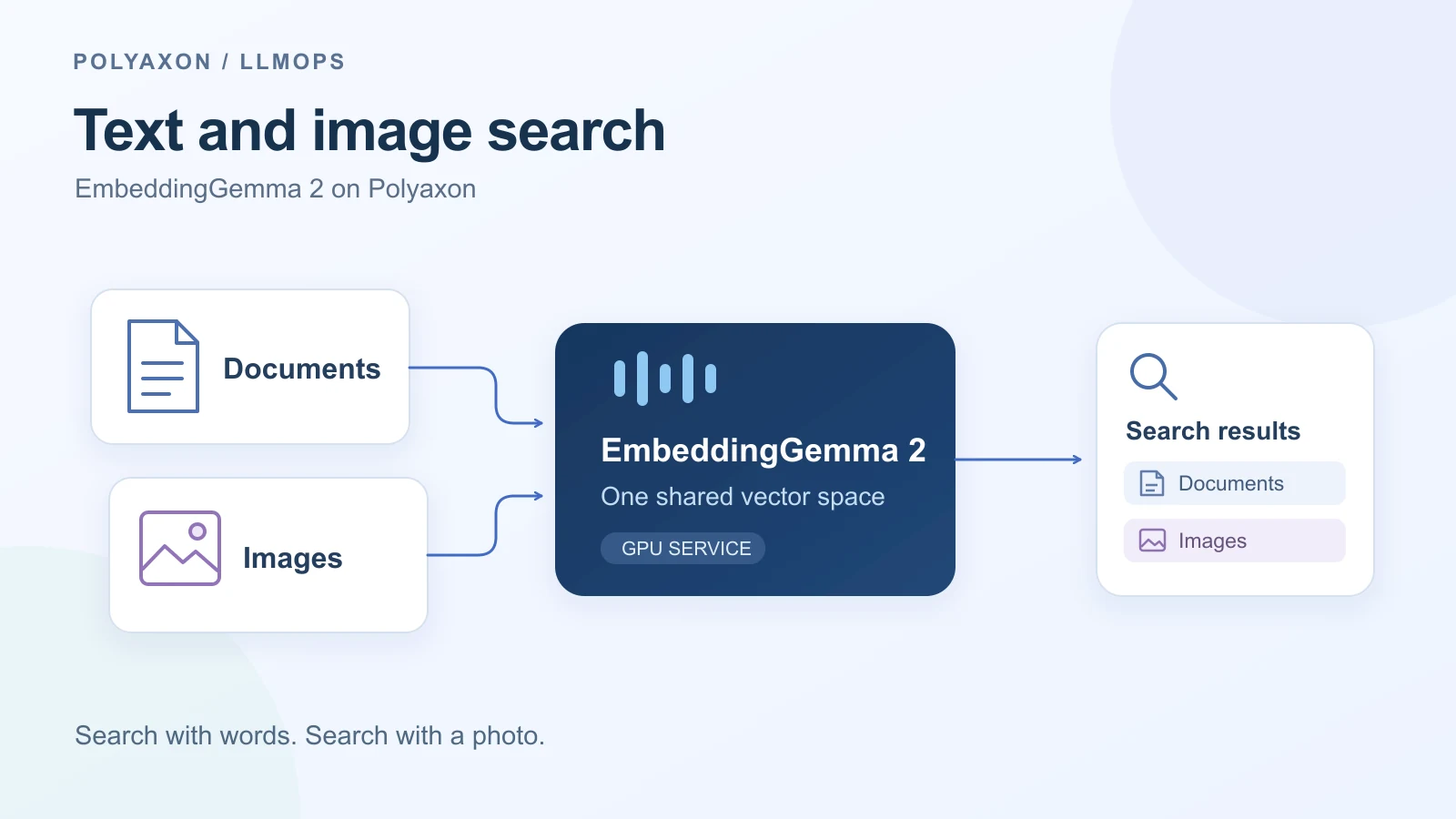
One model, two ways to search
The model produces 768-dimensional embeddings and supports shorter vectors through Matryoshka Representation Learning. We use the full 768 dimensions initially. Text and vision together use about 440M parameters; the optional audio encoder stays disabled. Google's model card describes the supported modalities, dimensions, and encoder configurations.
There are two stages. First, embed the documents and photos once and retain their vectors with their IDs. At search time, embed the query and rank the stored vectors by cosine similarity. A query can be text or an image because both use the same model and output dimensions.
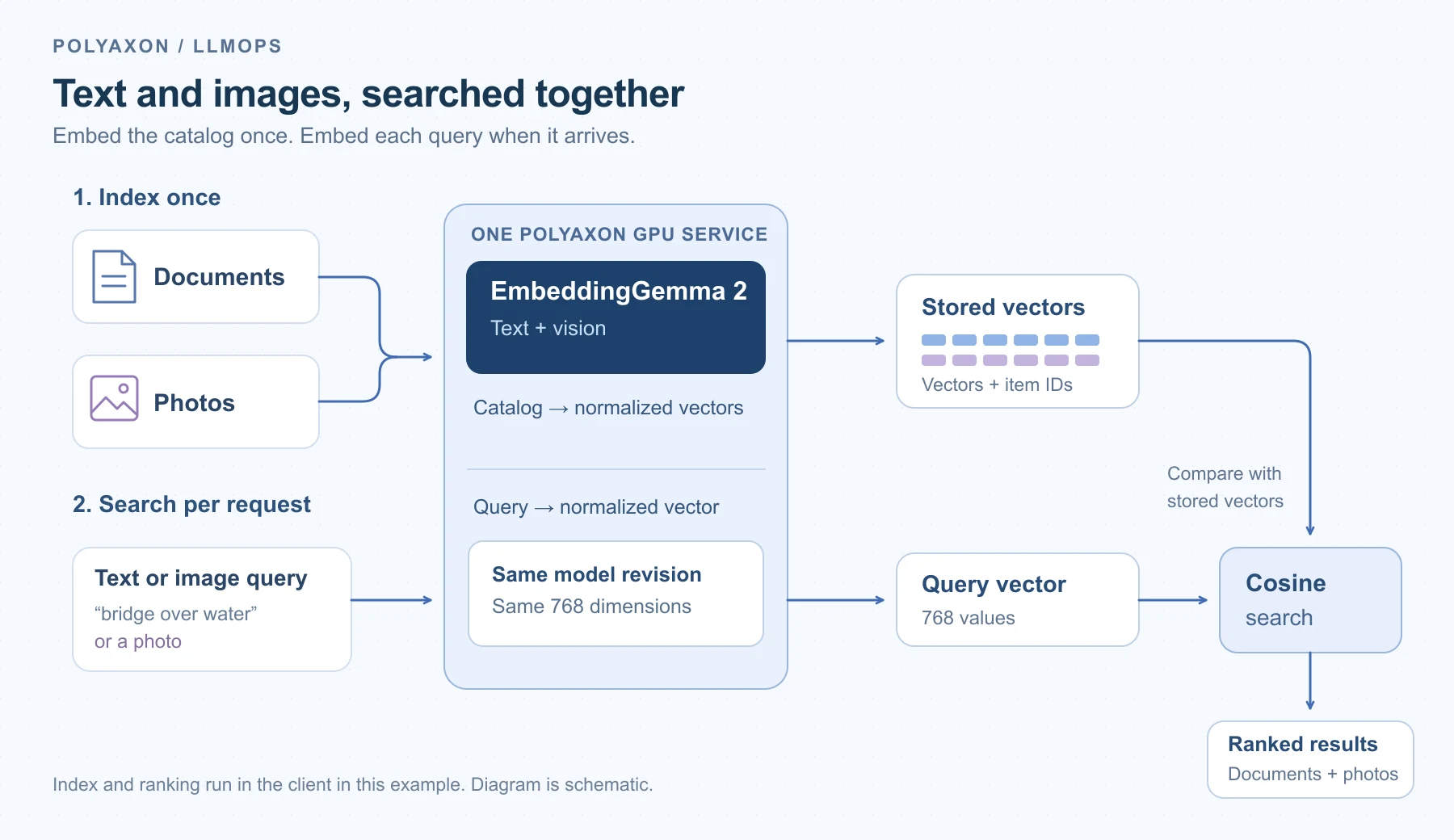
The diagram shows data flow. The small example below keeps the vector index in the client process; Polyaxon runs the embedding service.
Create the embedding API
You need an existing Polyaxon project and an agent with an NVIDIA GPU, a compatible CUDA driver, and access to Hugging Face and PyPI. The selected container image is for AMD64 nodes. The resource allocation below is a starting configuration, not a measured minimum.
Create a service/ directory. Save this as service/requirements.txt:
sentence-transformers[image]==6.1.0
transformers==5.19.0
fastapi==0.119.1
pydantic>=2,<3
uvicorn==0.38.0
python-multipart==0.0.20
pillow==12.0.0
The checkpoint requires Sentence Transformers 6.1 or newer, and Transformers 5.19 documents its architecture. These pins matter: an older embedding tutorial's environment may not recognize this model.
Save the following as service/app.py. It exposes two small endpoints: /embed/text takes a batch of strings, and /embed/image takes an uploaded image. They return normalized vectors, leaving catalog storage and ranking to the caller.
from io import BytesIO
from threading import Lock
from typing import Annotated, Literal

import torch
from fastapi import FastAPI, File, HTTPException, UploadFile
from PIL import Image, ImageOps, UnidentifiedImageError
from pydantic import BaseModel, Field
from sentence_transformers import SentenceTransformer

MODEL_REVISION = "914f7f89142e33e77833254d9c9b90c3cef7303b"
DIMENSIONS = 768
dtype = torch.bfloat16 if torch.cuda.is_bf16_supported() else torch.float32

model = SentenceTransformer(
    "google/embeddinggemma-2",
    revision=MODEL_REVISION,
    device="cuda",
    config_kwargs={"audio_config": None},
    model_kwargs={"torch_dtype": dtype},
)
model.eval()
model_lock = Lock()
app = FastAPI()


class TextBatch(BaseModel):
    texts: list[Annotated[str, Field(min_length=1, max_length=4000)]] = Field(
        min_length=1, max_length=16
    )
    role: Literal["query", "document"] = "query"


def encode(inputs, prompt_name=None):
    with model_lock, torch.inference_mode():
        vectors = model.encode(
            inputs,
            prompt_name=prompt_name,
            batch_size=8,
            truncate_dim=DIMENSIONS,
            normalize_embeddings=True,
            show_progress_bar=False,
        )
    return {"embeddings": vectors.tolist(), "revision": MODEL_REVISION}


@app.get("/health")
def health():
    return {"model": "google/embeddinggemma-2", "dimensions": DIMENSIONS}


@app.post("/embed/text")
def embed_text(batch: TextBatch):
    prompt = "SearchQuery" if batch.role == "query" else "Document"
    return encode(batch.texts, prompt_name=prompt)


@app.post("/embed/image")
def embed_image(file: Annotated[UploadFile, File()]):
    content = file.file.read(5_000_001)
    if len(content) > 5_000_000:
        raise HTTPException(413, "Use an image smaller than 5 MB")
    try:
        with Image.open(BytesIO(content)) as source:
            image = ImageOps.exif_transpose(source).convert("RGB")
            image.thumbnail((1024, 1024))
    except (UnidentifiedImageError, OSError, Image.DecompressionBombError):
        raise HTTPException(400, "Use a valid image") from None
    return encode([{"image": image}])
The query and document prompts serve different roles: the query describes what to find; each document supplies searchable content. Images receive no text prefix. Google's multimodal guide documents image inputs as dictionaries containing a path, URL, or PIL image; this API accepts image bytes and passes a PIL image to the model.
Use bfloat16 on supported GPUs and float32 otherwise. Do not use float16 for this model: Google documents activation-range problems that can produce invalid embeddings. The lock serializes inference calls, and the deployment uses one worker so requests share one model copy. This is a small private service, without dynamic request batching.
Deploy on a Polyaxon GPU queue
Save this as embeddinggemma.yaml, next to the service/ directory:
version: 1.1
kind: component
name: embeddinggemma-search
run:
  kind: service
  ports: [8000]
  rewritePath: true
  environment:
    nodeSelector:
      kubernetes.io/arch: amd64
  container:
    image: pytorch/pytorch:2.14.0-cuda12.6-cudnn9-runtime@sha256:a77983eb7a3042ccf41a94da547a7f54a47fb70da15c36d67a8e8a329ebaa098
    workingDir: "{{ globals.run_artifacts_path }}/uploads"
    command: [sh, -c]
    args:
      - >-
        python -m pip install --break-system-packages --no-cache-dir -r requirements.txt
        && exec python -m uvicorn app:app --host 0.0.0.0 --port 8000 --workers 1
    readinessProbe:
      httpGet:
        path: /health
        port: 8000
      periodSeconds: 10
    resources:
      requests:
        cpu: "2"
        memory: 8Gi
      limits:
        cpu: "4"
        memory: 16Gi
        nvidia.com/gpu: 1
This uses an official PyTorch runtime and installs the API dependencies at startup, so you do not need a Dockerfile. The pip flag permits installation when Python is marked externally managed in the base image. The image digest and model revision are fixed; retain a resolved dependency lock or prebuild the image when repeating a deployment.
From the directory containing embeddinggemma.yaml, submit the service. Replace acme/search and inference/gpu with your project and configured GPU queue:
polyaxon run -p acme/search -q inference/gpu \
  -f embeddinggemma.yaml -u -u-from service
The upload flags make service/ available at the run's uploads path before the container starts. A commercial installation's agent/queue selection routes the run to the configured Kubernetes cluster; the GPU resource request determines the device allocation. On an installation using its default agent, omit -q.
Keep the returned run UUID. The readiness check succeeds after the model has loaded. Inspect startup, then print the authenticated service URL:
export SERVICE_RUN_UUID=YOUR_RUN_UUID
polyaxon ops logs -p acme/search -uid "$SERVICE_RUN_UUID"
export EMBEDDING_URL=$(polyaxon ops service -p acme/search \
  -uid "$SERVICE_RUN_UUID" --external --url)
: "${POLYAXON_TOKEN:?Export an authorized Polyaxon token first}"
curl --fail-with-body "$EMBEDDING_URL/health" \
  --header "Authorization: token $POLYAXON_TOKEN"
--external --url prints the service URL; it does not disable authentication. The Polyaxonfile keeps the default service access controls. The first launch downloads the checkpoint, and a fresh container downloads it again unless you configure a persistent Hugging Face cache through a storage connection.
Search documents and photos together
On your machine, install the small client dependencies:
python -m pip install numpy requestsCreate a catalog/ directory with two of your own photos: bridge.jpg, showing a pedestrian bridge over water, and kitchen.jpg, showing an office kitchen. Add a different bridge photo as query.jpg to try image-based search. These files stay on your machine until the client sends them to your service.
Save this as search.py outside the uploaded service/ directory:
import os
from pathlib import Path

import numpy as np
import requests

base_url = os.environ["EMBEDDING_URL"].rstrip("/")
session = requests.Session()
session.headers["Authorization"] = f"token {os.environ['POLYAXON_TOKEN']}"


def post(path, **kwargs):
    response = session.post(f"{base_url}{path}", timeout=120, **kwargs)
    response.raise_for_status()
    return np.asarray(response.json()["embeddings"], dtype=np.float32)


def image_vector(path):
    with Path(path).open("rb") as image:
        return post("/embed/image", files={"file": image})[0]


documents = [
    "A pedestrian bridge spans the river and connects two walking trails.",
    "The office kitchen has a refrigerator, a sink, and a coffee machine.",
]
ids = ["bridge-note", "kitchen-note", "bridge-photo", "kitchen-photo"]
text_vectors = post("/embed/text", json={"texts": documents, "role": "document"})
index = np.vstack([
    text_vectors,
    image_vector("catalog/bridge.jpg"),
    image_vector("catalog/kitchen.jpg"),
])


def search(query_vector):
    scores = index @ query_vector
    for position in np.argsort(-scores)[:3]:
        print(ids[position], round(float(scores[position]), 4))


print("Text query:")
query = post("/embed/text", json={
    "texts": ["a pedestrian bridge over water"], "role": "query"
})[0]
search(query)

print("Image query:")
search(image_vector("query.jpg"))
Run it in the same shell where you exported the service URL and token:
python search.pyThe first request embeds both notes in one batch; the next two embed the catalog photos. Both queries then search those same four vectors. Because the API normalizes its embeddings, the dot product in index @ query_vector equals cosine similarity. The Sentence Transformers API documents normalization and vector truncation.
Inspect whether the bridge note and photo rank above the kitchen items for each query. The exact order depends on your photos; cosine scores are similarity measurements, not probabilities. This four-item example makes the data flow visible. It does not establish retrieval quality on a real collection.
For a larger catalog, persist vectors and item metadata in a vector index, and embed new content during ingestion instead of on every script invocation. Keep the model revision, prompts, image preprocessing, and vector dimensions with the index so subsequent queries use the same configuration. Apply your application's access filters before returning results.
Choose vector size after checking retrieval
The model supports 768, 512, 256, and 128 dimensions. To try 256, change DIMENSIONS in app.py, deploy a new service, and rebuild the example index through that endpoint. The normalize_embeddings=True setting normalizes the shortened vectors. Query and catalog vectors must have the same dimensions.
For one million float32 vectors, the raw vector payload is 3.072 GB at 768 dimensions or 1.024 GB at 256 dimensions, before IDs, metadata, or search-index overhead. This is a storage calculation, not a measured memory footprint or latency result. Google's dimension comparison reports quality changes across tasks; the right size for your collection depends on which relevant items survive the shorter representation.
Before choosing a configuration, collect queries with known relevant documents and photos. Compare text-to-text, text-to-image, and image-to-text retrieval separately. Record recall at your chosen cutoff alongside request latency. Use Polyaxon evaluation runs and comparison views to retain those measurements with the service revision; the service above does not log retrieval metrics automatically. Our retrieval-regression guide shows what to retain when useful evidence disappears.
Stop the service when you finish to release its GPU:
polyaxon ops stop -p acme/search -uid "$SERVICE_RUN_UUID"The deployment and client examples were reviewed against upstream documentation and source; they have not been executed as part of preparing this article.