Create and automate Polyaxon sandboxes from Python
Create a sandbox service with SandboxClient, choose its image, run Python, download the output, and stop the workspace from one Python script.
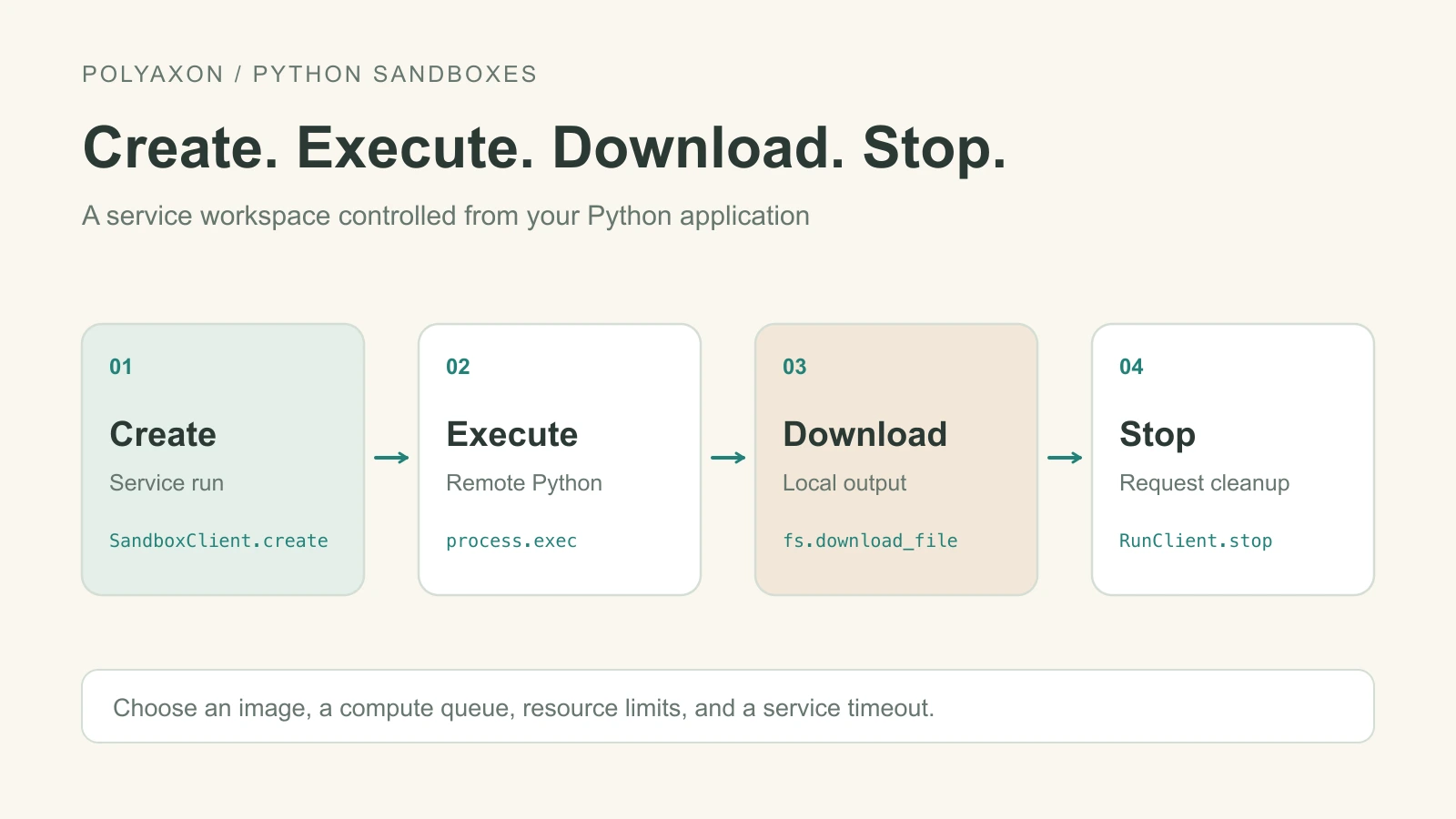
A Python application can create a Polyaxon sandbox, run commands in it, and retrieve files without opening a terminal. Use it to prepare data, inspect a model checkpoint, or give an agent application a Python workspace on your compute cluster.
SandboxClient.create() was added in v2.16.2. It creates a service run and binds the client to that run. The service definition controls its image, CPU or GPU resources, queue, and lifetime; the sandbox API supplies process and file access.
This example creates a small Python workspace, removes surrounding whitespace from CSV fields, and downloads the cleaned file. You need a configured Polyaxon client with the create helper, an existing project, and a deployment with services and sandbox support enabled. Follow the sandbox quick start for setup.
Create, execute, and retrieve
Save this as automate-sandbox.py. Replace acme and automation with your organization and project. The service definition is passed directly to create() as a Python dictionary.
SandboxClient.create() enables the sandbox plugin automatically. Without a container command, Polyaxon runs the sandbox daemon as the main process. The official Python image supplies everything this standard-library example needs, and /tmp holds the temporary files.
Creation does not approve the run or wait for readiness. This script explicitly approves it, so use an identity authorized to do so. If your workflow requires separate approval, remove that call and approve through your normal process while the script waits.
from time import monotonic, sleep

from polyaxon.client import RunClient, SandboxClient
from polyaxon.schemas import V1Statuses

sandbox = SandboxClient(owner="acme", project="automation")
run = sandbox.create(
    name="csv-cleanup",
    content={
        "component": {
            "run": {
                "kind": "service",
                "container": {"image": "python:3.12-slim"},
            }
        }
    },
)
run_client = RunClient(
    owner="acme",
    project="automation",
    run_uuid=run.uuid,
    client=sandbox.client,
)
print("Run:", run.uuid)

try:
    run_client.approve()
    deadline = monotonic() + 300
    while monotonic() < deadline:
        run_client.refresh_data()
        status = run_client.run_data.status
        if status == V1Statuses.RUNNING:
            break
        if V1Statuses.is_done(status):
            raise RuntimeError(f"Workspace ended with status {status}")
        sleep(2)
    else:
        raise TimeoutError("Workspace did not start within the polling window")

    sandbox.ping()
    sandbox.fs.write(
        "/tmp/raw.csv",
        "text,label\n  hello world  , positive \n  great model  , positive \n",
    )
    sandbox.fs.write(
        "/tmp/clean.py",
        '''import csv

with open("raw.csv", newline="") as source, open("clean.csv", "w", newline="") as target:
    reader = csv.DictReader(source)
    writer = csv.DictWriter(target, fieldnames=reader.fieldnames)
    writer.writeheader()
    for row in reader:
        writer.writerow({key: value.strip() for key, value in row.items()})
''',
    )
    result = sandbox.process.exec(
        command=["python", "/tmp/clean.py"],
        workdir="/tmp",
        timeout_ms=10_000,
    )
    if result.timed_out or result.exit_code != 0:
        raise RuntimeError(result.stderr or "CSV cleanup failed")

    sandbox.fs.download_file("/tmp/clean.csv", "./clean.csv")
    print("Downloaded clean.csv")
finally:
    try:
        run_client.stop()
    finally:
        sandbox.client.close()
Run it with python automate-sandbox.py. The local clean.csv will contain trimmed fields, such as hello world,positive. Replace the cleanup script with your own preprocessing or inspection code.
The polling deadline controls how long the script waits between status requests; each request still follows the client's HTTP timeout. ping() checks sandbox reachability after the run starts. If it fails, inspect the printed run UUID and logs before retrying. timeout_ms=10_000 limits the cleanup command to 10 seconds.
The finally block requests that Polyaxon stop the service and closes the shared client connection. A stop request does not confirm termination; check the run if cleanup fails. Download files before stopping the service, because files in the container are temporary. Downloading alone does not register a Polyaxon artifact.
Use the same API with GPU workspaces
For CUDA-based inspection or inference, set the image, queue, and GPU resources in the content dictionary. The sandbox resource guide shows those settings. The Python create, process, and file APIs stay the same; Polyaxon schedules the service using its declared resources.
See the process reference for streamed or background commands, and the filesystem reference for uploading larger files.