Right-size Kubernetes resources for ML workloads
Set CPU, memory, ephemeral-storage, and GPU resources from measured ML workload behavior while preserving scheduling efficiency and reliability.
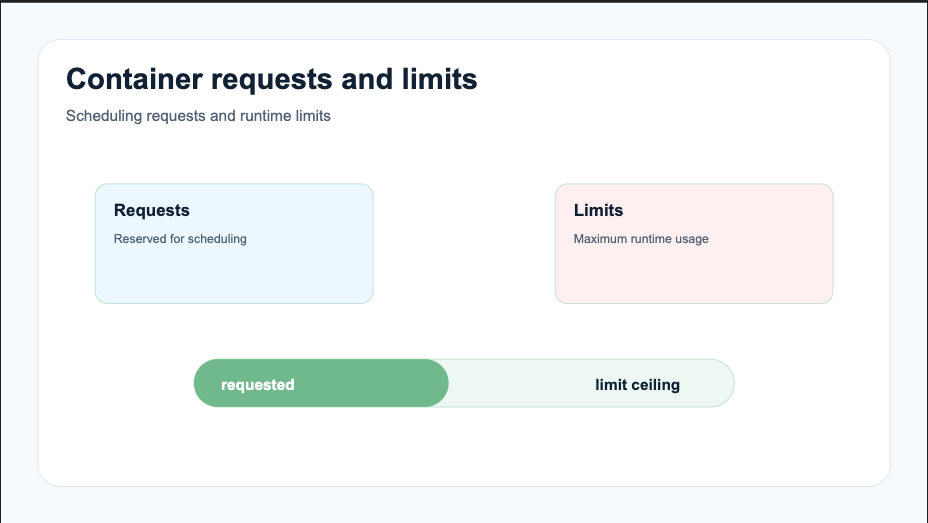
Resource settings are both a reliability contract and a scheduling signal. Requests tell Kubernetes what a Pod needs for placement. Limits constrain selected resources at runtime. Poor settings can leave expensive nodes idle, increase queue time, throttle preprocessing, trigger OOM kills, or pack too many bursty workloads together.
Right-sizing is a measurement loop. There is no universal CPU-to-memory ratio for notebooks, data loaders, training workers, evaluators, and model services.
Understand requests and limits
For each container, Kubernetes accepts requests and limits for resources such as CPU, memory, and ephemeral storage:
resources:
  requests:
    cpu: "2"
    memory: 8Gi
    ephemeral-storage: 20Gi
  limits:
    cpu: "4"
    memory: 12Gi
    ephemeral-storage: 40Gi
The scheduler places a Pod using requests plus other constraints. It does not use the current low utilization of already scheduled Pods to ignore their requests.
CPU limits are enforced through throttling. Memory limits are enforced reactively and can result in an OOM kill. Ephemeral-storage limits can lead to Pod eviction. The Kubernetes resource-management documentation describes these different semantics.
Measure workload phases
An average hides the phase that sets the safe envelope. Measure at least:
- image and dependency initialization;
- data download, parsing, caching, and prefetch;
- model construction and checkpoint restore;
- steady-state training or inference;
- evaluation, serialization, and checkpoint upload;
- shutdown and log flushing.
Collect CPU usage and throttling, memory working set and RSS, filesystem bytes and inodes, network throughput, accelerator activity and memory, duration, and application progress. Include every container in the Pod.
Run more than one representative operation. Dataset shape, model version, batch size, worker count, and input skew can change the peak.
Set CPU requests for placement
CPU requests influence both scheduling and relative CPU share under contention. Set them near the sustained CPU needed to meet the workload's objective, with enough capacity for required preprocessing and communication.
An inflated request can prevent other Pods from fitting on a GPU node even when the trainer rarely uses those cores. An understated request can make the node look schedulable while several data pipelines compete and starve their accelerators.
Use CPU limits only when a hard tenant or stability boundary justifies throttling. A low limit can lengthen training and create sawtooth latency without producing a clear container failure. Monitor throttled periods alongside application throughput.
Size memory from peaks and failure behavior
Memory cannot be throttled like CPU. Choose a request that represents the working memory the Pod needs under normal operation and a limit that covers justified peaks while protecting the node.
Account for data-loader processes, shared and copied pages, caches, framework allocators, model loading, compilation, buffers, and memory-backed emptyDir volumes. Distinguish a stable high-water mark from an unbounded leak.
If the workload is killed, increasing the limit without changing the request may allow it to schedule onto a node that lacks safe headroom. Adjust placement and runtime protection together based on measured behavior.
Include ephemeral storage
Container writable layers, logs, and disk-backed emptyDir volumes consume node-local ephemeral storage. ML jobs can fill it with downloaded datasets, expanded archives, compiler caches, checkpoints, and verbose logs.
Declare requests and limits where the cluster measures them. Send durable artifacts to an approved persistent or object store. Bound caches and clean temporary data during normal completion and failure paths.
Monitor bytes and inodes. Millions of small files can exhaust a filesystem before its byte capacity appears full.
Treat GPUs as extended resources
GPU device plugins expose resources such as nvidia.com/gpu. Extended resources are integer, non-overcommitted scheduling resources. In the conventional device-plugin model, request and limit are equal or only the limit is specified:
resources:
  limits:
    nvidia.com/gpu: 1
One allocated GPU does not guarantee useful device activity. Host CPU, memory, data throughput, worker synchronization, and application behavior determine utilization. Measure allocation, device activity, memory pressure, and ML throughput separately.
Use node labels, taints, affinity, topology, and approved presets to select accelerator model and environment. Do not encode a hardware choice only in an image name or informal run parameter.
Account for multi-container and distributed workloads
Pod requests are the sum of its container requests for scheduling, subject to Kubernetes' rules for init and sidecar containers. A small logging or data sidecar still consumes real resources. Measure it during the same peak as the trainer.
Distributed training magnifies errors. If eight workers each over-request 16 CPUs, the job can require an unnecessarily large cluster. If each under-requests memory, gang placement can create node-wide pressure after all workers start.
Right-size one role at a time—chief, worker, parameter server, launcher, evaluator—and validate the group under representative synchronization and checkpoint behavior.
Use policy as guardrails
LimitRanges can supply defaults and enforce per-container or per-Pod bounds. ResourceQuotas constrain aggregate namespace consumption. Priority and queues decide which admitted work receives capacity first. These controls solve different problems.
Defaults should be safe starting points, not permanent settings for every workload. Review rejected workloads and Pending reasons so guardrails do not become unexplained platform friction.
Kubernetes Vertical Pod Autoscaling can recommend or update CPU and memory settings from observed use. Evaluate its history window, update mode, disruption, limits, and compatibility with batch and accelerator workloads before enabling automatic changes.
Build a right-sizing loop with Polyaxon
Polyaxon makes resource experiments comparable. Track component version, parameters, dataset, node type, requested resources, peak usage, throttling, duration, throughput, queue time, failures, and cost-relevant allocation.
Promote validated envelopes into components and scheduling presets. Keep separate profiles for development, standard training, memory-heavy evaluation, distributed roles, and production services rather than one oversized default.
Review settings when code, data, framework, image, hardware, or concurrency changes. A resource profile is a versioned operating assumption. Right-sizing succeeds when workloads make predictable progress and the scheduler can use shared capacity efficiently.