Run batch inference with vLLM on Polyaxon
Generate predictions from a JSONL prompt file with vLLM, schedule the work on a Polyaxon GPU agent, and save the results as run artifacts.
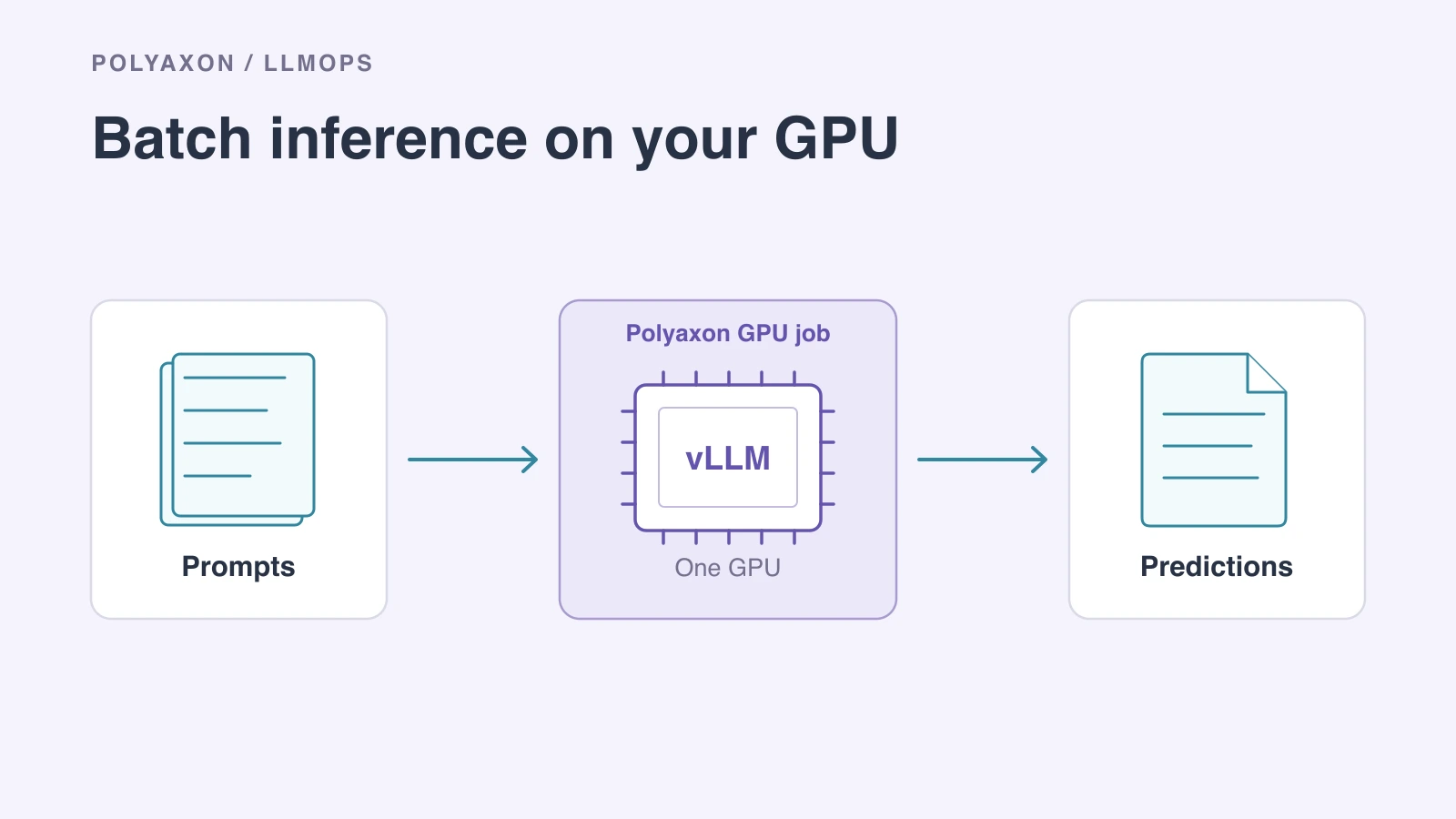
Summarizing a collection of tickets or generating answers for an evaluation dataset can be a finite GPU job. vLLM's offline Python interface loads a model and processes a batch directly. Once it has written the predictions, the process exits.
Polyaxon can schedule that job on your Kubernetes GPU cluster and collect its output files. This walkthrough uses a small Qwen instruction model, three JSONL prompts and one GPU. It produces predictions you can inspect or pass to a separate evaluation step.
Prepare the prompt file
Save this as prompts.jsonl, with one JSON object per line. Keep an ID so each prediction can be matched to its input.
{"id":"ticket-001","prompt":"Summarize in one sentence: The customer changed their billing address, but the next invoice still used the old address."}
{"id":"ticket-002","prompt":"Summarize in one sentence: Training stopped after a GPU node restarted. The user has a checkpoint and wants to resume."}
{"id":"ticket-003","prompt":"Summarize in one sentence: A notebook opens successfully, but its user cannot write to the mounted workspace."}
The example uses Qwen2.5-1.5B-Instruct. Choose a full model commit from its revision history so that reruns load the same weights and tokenizer.
Generate and save predictions
Save this as batch.py:
import argparse
import json
from pathlib import Path

from vllm import LLM, SamplingParams


def main():
    parser = argparse.ArgumentParser()
    parser.add_argument("--revision", required=True)
    parser.add_argument("--output-dir", required=True)
    args = parser.parse_args()

    with open("prompts.jsonl", encoding="utf-8") as source:
        rows = [json.loads(line) for line in source if line.strip()]

    llm = LLM(
        model="Qwen/Qwen2.5-1.5B-Instruct",
        revision=args.revision,
        tokenizer_revision=args.revision,
        tensor_parallel_size=1,
        dtype="half",
        max_model_len=2048,
        gpu_memory_utilization=0.8,
    )
    conversations = [
        [{"role": "user", "content": row["prompt"]}] for row in rows
    ]
    outputs = llm.chat(
        conversations,
        SamplingParams(temperature=0, max_tokens=128),
    )

    output_dir = Path(args.output_dir)
    output_dir.mkdir(parents=True, exist_ok=True)
    with (output_dir / "predictions.jsonl").open("w", encoding="utf-8") as result:
        for row, output in zip(rows, outputs, strict=True):
            completion = output.outputs[0]
            result.write(json.dumps({
                "id": row["id"],
                "response": completion.text,
                "finish_reason": completion.finish_reason,
            }, ensure_ascii=False) + "\n")

    print(f"Saved {len(outputs)} predictions to {output_dir}")


if __name__ == "__main__":
    main()
LLM.chat applies the model's chat template and returns responses in input order, allowing the script to pair them with the original IDs. The vLLM Python API documents this behavior and the model-loading options.
The 2,048-token context must fit each input plus its generated answer. max_tokens=128 caps the answer; inspect finish_reason to distinguish a completed response from one stopped at the length limit. Temperature zero selects greedy sampling. It does not guarantee identical text across different software and hardware configurations; see vLLM's reproducibility guidance.
Schedule one GPU job
Save this as vllm-batch.yaml. Replace the image tag with a version or digest of the official vLLM image reviewed for your GPU and NVIDIA driver. The job overrides the image's server entry point with the Python script, so it needs no service port or endpoint.
name: vllm-batch
inputs:
  - name: model_revision
    type: str
plugins:
  shm: true
container:
  image: vllm/vllm-openai:YOUR_REVIEWED_VERSION
  workingDir: "{{ globals.run_artifacts_path }}/uploads"
resources:
  cpu: 4
  memory: 16Gi
  gpu: 1
cmd: python batch.py --revision {{ model_revision }} --output-dir {{ globals.run_outputs_path }}
The selected cluster needs an NVIDIA device plugin and a compatible GPU runtime. The GPU must fit the model, KV cache and execution buffers. CPU and memory requests above are starting values; adjust them for your model and input size. shm supplies shared memory for the inference runtime.
Run the following from the directory containing the three files, using your configured Polyaxon CLI. Replace the project, agent/queue and model revision with your own values:
polyaxon run -p acme/batch-inference -f vllm-batch.yaml \
  --queue research/gpu \
  -m batch.py -m prompts.jsonl \
  -P model_revision=YOUR_MODEL_COMMIT
The mount options upload the script and prompt file into this run's uploads directory. The agent-qualified queue selects the compute environment; gpu: 1 requests one device. Startup also needs access to the model repository and enough local disk for its downloaded files. A reusable model cache can be supplied through a connection when repeated downloads become costly.
To try another vLLM build without editing the file, add --image vllm/vllm-openai:OTHER_VERSION to the command. It replaces the file's image for that run only.
Retrieve the predictions
Open the completed run's artifacts and download outputs/predictions.jsonl. The script writes to Polyaxon's run output directory, which is collected to your configured artifact store by the default artifact collection plugin.
The run retains the workload configuration, image reference, model revision and uploaded inputs alongside its outputs. To compare another model revision, submit another job with that revision and use the IDs to compare predictions on the same cases.
This script reads the small input file into memory and writes its result after generation. For larger datasets, process bounded chunks and save completed chunks incrementally. If the next step is scoring model quality, our batch evaluation guide covers evaluation workers and result aggregation. For interactive applications, use a vLLM service instead.