Archive a sweep and its child runs together
Archive a Polyaxon sweep or DAG through its parent run, understand what happens to unfinished children, and restore retained records from Python.
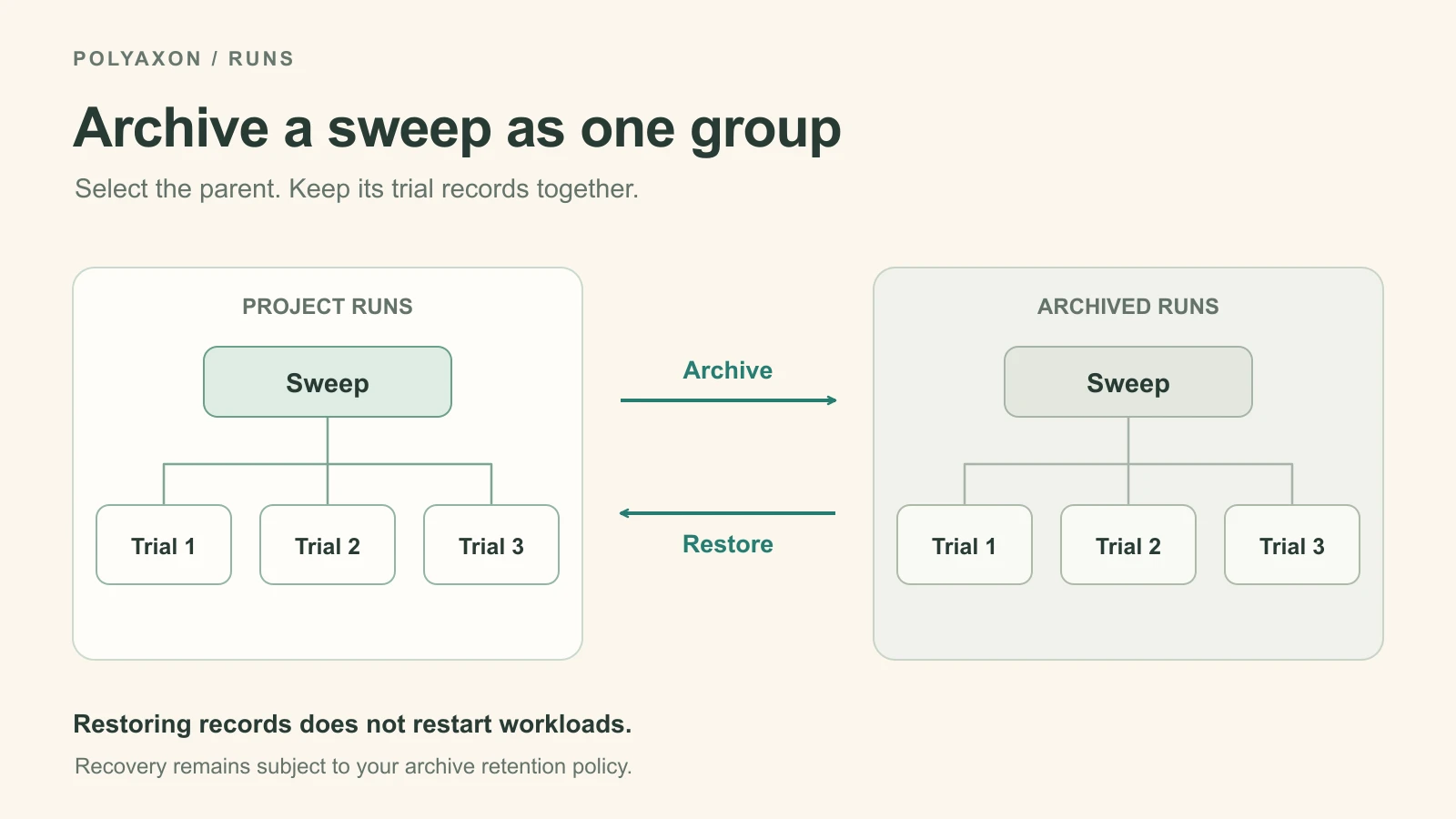
A tuning sweep can leave dozens of trial runs in a project after you have chosen a model. You can archive the sweep through its parent UUID and include its child runs, instead of selecting every trial separately. The same operation works for a DAG and its child operations.
Polyaxon 2.14 extended bulk archiving to stop unfinished DAG and matrix children and included controller children in archive and restore. This is useful when retiring a completed experiment or abandoning a sweep that should stop consuming resources.
Archive the parent
Use a configured Polyaxon Python client, a server supporting the 2.14 behavior, and an account permitted to manage the selected runs. Copy the parent run UUID from the sweep or DAG. Replace the organization, project and UUID below:
from polyaxon.client import ProjectClient

project = ProjectClient(owner="acme", project="training")
project.archive_runs(uuids=["PARENT_RUN_UUID"])
project.close()
The project client accepts a list of UUIDs, even when selecting just one parent. The server includes child runs linked to that parent as their pipeline or controller. It does not select unrelated runs because they share a tag, name or training image.
For a sweep whose trials have finished, this moves the parent and those trial records into the archive. For unfinished work, archiving also initiates stopping. Refresh the run statuses to confirm termination; an accepted archive request does not mean every worker has already exited.
Archive a completed sweep after reviewing its results. Archive an active sweep when you intend to stop the remaining work as well.
Restore the retained records
To revisit that experiment, restore the same parent UUID:
from polyaxon.client import ProjectClient

project = ProjectClient(owner="acme", project="training")
project.restore_runs(uuids=["PARENT_RUN_UUID"])
project.close()
This restores the parent and its archived pipeline/controller children. Their execution statuses are preserved: a succeeded trial remains succeeded, and restoring a stopped trial does not start another worker. Start a new run or use the appropriate restart workflow when you want to execute the workload again.
Restore acts on the parent's archived children, including children archived separately earlier. It does not reconstruct the exact selection from a previous archive call.
Check retention before archiving old experiments
Archiving is separate from immediate deletion, but it can make a run eligible for a configured data-retention policy. Check Archives deletion interval in the organization's defaults and any project override.
Where retention is enabled, eligibility uses the run's creation time, not the date you archive it. Archiving an old experiment therefore does not start a new retention window. Scheduled deletion removes the run and its associated metrics, logs and artifacts; restore cannot recover deleted data. Without a configured interval, archived operations are retained indefinitely by default.
The examples above target one known hierarchy. For actions across unrelated experiments, use ProjectClient's multi-run operations with an explicit set of run UUIDs.