Check agent access before starting workloads
Polyaxon checks Kubernetes access and the default artifact store before managed agents begin syncing. Find failed checks and correct credentials, permissions, or mounts.
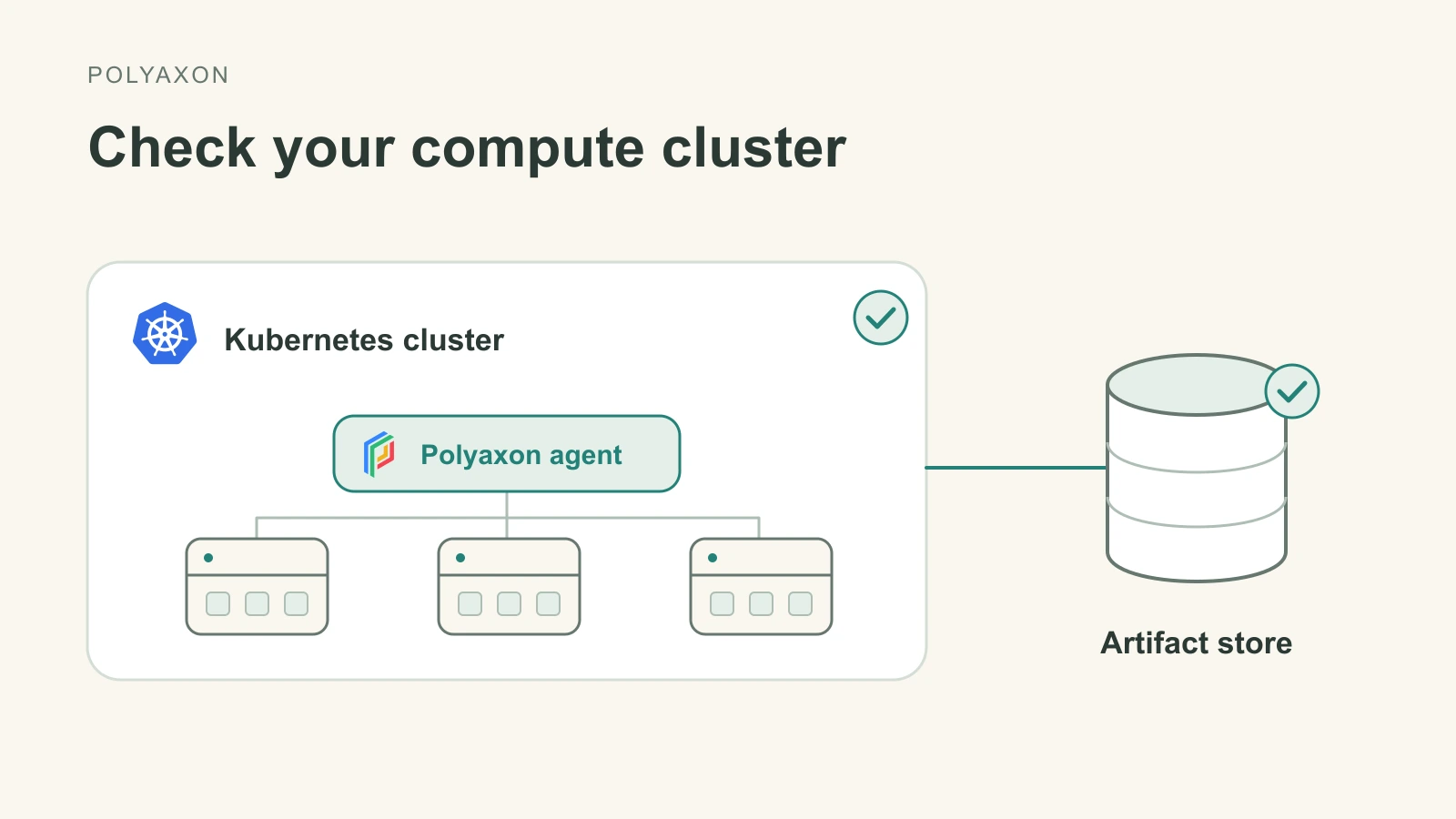
In Polyaxon, a compute agent represents a Kubernetes compute cluster connected to your control plane. The agent deployment runs in that cluster and manages queues for workloads such as training jobs, notebooks, and inference services.
Before it starts syncing, the agent needs Kubernetes access and a working artifact store. These dependencies can break after a credential rotation, a storage-policy change, or an updated volume mount.
Polyaxon v2.17 checks these connections before a managed compute agent begins syncing. If a check fails, the agent reports FAILED with diagnostics, so you can correct the configuration before it starts processing workloads. This applies to managed agents in Polyaxon EE and Cloud.
What gets checked
The agent makes an authenticated request to its streams service, which performs two checks using its configured credentials and connections:
- Kubernetes: load the Kubernetes configuration and list Pods in the agent's namespace.
- Default artifact store: write a unique probe, read it back, verify its contents, and delete it. For a mounted store, first verify that the configured directory exists and is mounted in the streams Pod.
A bucket credential that permits reads but blocks writes or deletes will fail the storage check. Likewise, a volume available to a workload but absent from the streams Pod will fail a mounted-store check. The artifact-store setup explains how to configure that shared access.
These checks cover namespace access and the default artifact store. They do not validate every named connection, every Kubernetes permission needed to launch a workload, or available GPU capacity. A passing check is one prerequisite for running workloads; scheduling and application startup still have their own requirements.
Find and fix a failed check
Look for the AgentConnectionCheck reason and the associated diagnostic code. The response includes the failed check, an error category, and hints; exception details exposed by the API are sanitized.
| Diagnostic code | What to inspect |
|---|---|
kubernetes_setup_failed | Kubernetes configuration and credentials available to the streams service. |
kubernetes_list_pods_failed | API connectivity and permission to list Pods in the configured namespace. |
default_artifacts_store_not_found | The agent's default artifact-store configuration. |
connection_mount_path_missing | Whether the configured mount directory exists in the streams Pod. |
connection_mount_path_not_mounted | Whether the volume is actually mounted at that directory. |
artifacts_store_access_failed | Storage connectivity, credentials, and read/write/delete permissions on the configured store prefix. |
To inspect startup logs, find the deployment names in your agent namespace, then read the agent and streams logs. Replace the uppercase placeholders with your deployment values:
kubectl get deployments -n AGENT_NAMESPACE
kubectl logs -n AGENT_NAMESPACE deployment/AGENT_DEPLOYMENT
kubectl logs -n AGENT_NAMESPACE deployment/STREAMS_DEPLOYMENT
Correct the relevant agent configuration, credential, permission, or mount, then retry agent startup through your normal deployment process. Both checks must pass before initial synchronization proceeds.
The same release also lets an already running agent log a data-collection failure and continue reconciling workloads.
For agent registration and administration, see manage compute agents.