Prompt versioning for production AI systems
Treat prompts as versioned production artifacts with lineage, evaluations, promotion workflows, rollback, ownership, and runtime observability.
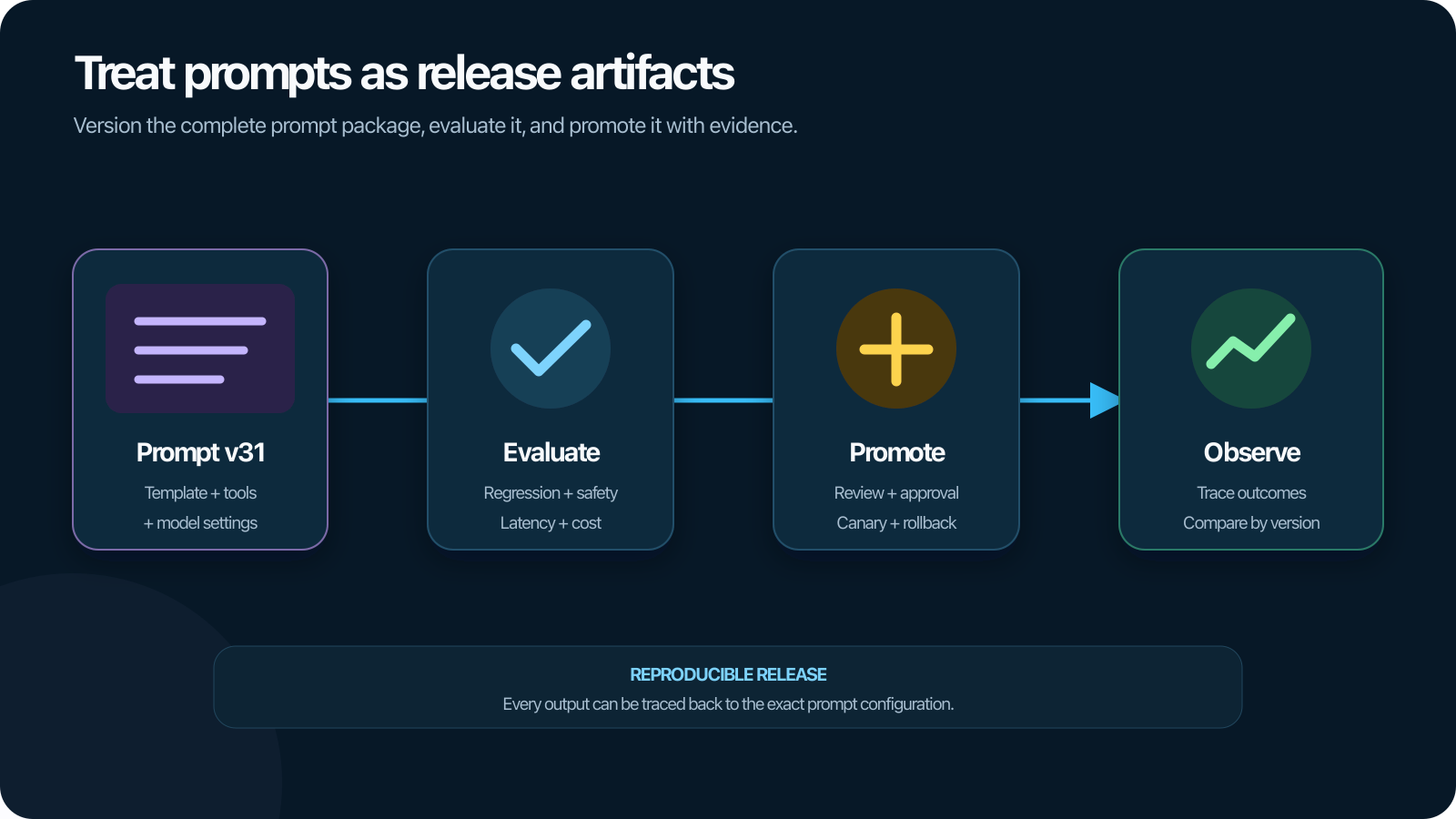
A prompt edit can change accuracy, tool selection, refusal behavior, latency, token usage, and cost without changing application code. If the edit is copied into a console, configuration file, or database without a stable version, the team may not be able to explain or reproduce the behavior.
Prompt versioning treats prompts as production artifacts. Every meaningful change receives an immutable identity, evaluation evidence, ownership, release history, and a connection to the traces that used it.
What is prompt versioning?
Prompt versioning is the practice of recording and managing changes to the instructions, templates, messages, variables, examples, schemas, and related configuration supplied to a generative AI model.
A prompt version should identify more than a block of text. Depending on the application, it can include:
- System, developer, and user message templates.
- Variable names, types, defaults, and required fields.
- Few-shot examples and their order.
- Tool definitions and response schemas.
- Model, provider, and inference defaults.
- Context assembly and truncation rules.
- Safety, policy, and escalation instructions.
- Owner, change reason, review status, and creation time.
The deployed application should reference an immutable prompt version or release alias. Editing a live prompt in place destroys lineage and makes rollback ambiguous.
Why prompts need production controls
Prompts are executable behavior
Prompts influence decisions and outputs even though they are written in natural language. A small wording or ordering change can alter behavior across many tasks.
Prompts change independently of code
Product, domain, safety, and operations teams may update instructions more frequently than application deployments. The release process needs to preserve that flexibility without bypassing evaluation and audit controls.
Behavior depends on the complete configuration
The same prompt can perform differently with another model, tool schema, retrieval strategy, or context. Track prompt versions with the rest of the application configuration rather than evaluating them in isolation.
Production debugging requires prompt lineage
A trace should answer exactly which prompt version, variables, model, retrieved context, and tools produced the behavior. A prompt name such as support-agent is insufficient if the content can change behind it.
Define the prompt artifact
Create a structured prompt specification instead of an untracked string.
| Field | Purpose |
|---|---|
| Prompt ID | Stable logical identity such as refund-decision |
| Version | Immutable content and configuration version |
| Messages or template | Ordered instructions and placeholders |
| Input schema | Required variables, types, and constraints |
| Output schema | Expected response or tool-selection structure |
| Model defaults | Provider, model, parameters, and compatibility notes |
| Dependencies | Tools, policies, examples, retrieval sources, or templates |
| Ownership | Team, reviewer, and escalation contact |
| Change metadata | Author, reason, ticket, timestamp, and review status |
| Evaluation evidence | Dataset, evaluators, results, and approved thresholds |
Store secrets and sensitive values outside the prompt artifact. Reference controlled connections or runtime variables rather than embedding credentials.
Use immutable versions and movable aliases
An immutable version never changes after creation. A human-readable alias such as development, staging, or production can move to an approved version.
This provides both reproducibility and operational convenience:
- Traces record the immutable version.
- Applications can resolve an environment alias at release time.
- Rollback moves the alias to a known version.
- Audit history shows who promoted what and why.
Avoid resolving a mutable alias on every request without capturing the resolved version. Otherwise, two requests from the same deployment can use different behavior without visible application changes.
Version the rendered prompt context
The template version is necessary but not sufficient for debugging. Runtime behavior also depends on variable values, conversation history, retrieved passages, tool definitions, and truncation.
Record:
- Immutable template version.
- A hash or protected representation of the rendered messages.
- Variable names and sanitized values where permitted.
- Retrieval, tool, policy, and context-builder versions.
- Context length and any truncation or summarization decision.
- Model and inference configuration.
Do not store unrestricted prompt content by default. Define redaction, sampling, access, and retention policies appropriate to the data.
Build a prompt development workflow
1. Create a baseline
Attach the current prompt and application configuration to a representative, versioned evaluation dataset. Record quality, safety, latency, tokens, cost, and task outcomes.
2. Branch or create a candidate version
Make the change in a reviewable form. Describe the intended behavior and affected tasks. Keep unrelated edits in separate versions so results remain interpretable.
3. Run targeted tests
Test cases related to the change first for fast feedback. Check variable rendering, schemas, tool availability, and prohibited content deterministically.
4. Run the regression suite
Evaluate the candidate across core tasks, edge cases, safety requirements, and production-derived regressions. Compare by segment.
5. Review the cost-quality tradeoff
Prompt changes can expand context or output. Compare tokens, model calls, task latency, and cost per successful task with the baseline.
6. Approve and promote
Record the reviewer, decision, evaluation run, thresholds, and release alias change. High-risk prompts may require domain or policy approval.
7. Observe production
Segment traces, evaluations, feedback, and outcomes by prompt version. Use a controlled rollout when the expected impact or risk warrants it.
8. Roll back or iterate
If production quality, safety, reliability, latency, or cost regresses, move the alias to the previous approved version and preserve representative traces for analysis.
Evaluate prompts as part of the application
Prompt evaluation should hold other variables constant when the goal is to isolate a prompt change. Use the same model, retrieval results, tools, parameters, and dataset where possible.
Then run an end-to-end evaluation because prompts interact with dynamic context and external dependencies.
Measure:
- Task success and response quality.
- Groundedness and citation behavior.
- Tool selection, arguments, and trajectory.
- Safety, policy, and escalation.
- Output structure and schema validity.
- Input and output tokens.
- End-to-end latency and cost.
- Performance by task and user segment.
Do not promote a prompt from a few hand-selected examples. A prompt that improves visible demos may regress less obvious tasks.
Example: changing a support-agent escalation prompt
The team wants the agent to ask one clarification question before escalating ambiguous requests.
The candidate version changes the routing instruction and adds two examples. Evaluation shows fewer unnecessary escalations, but traces reveal longer loops for users who already supplied all required information.
The team updates the prompt to check structured conversation state before asking. The final candidate:
- Reduces avoidable escalations.
- Does not ask for information already available.
- Maintains authorization and safety passes.
- Adds no material latency or token regression.
The release record connects the prompt version with its dataset, evaluation run, reviewer, and production alias. If a later model update changes the behavior, the team can rerun the same evidence.
Manage prompts across environments
Development, staging, and production should reference the same immutable artifact model.
Environment-specific values belong in typed variables or configuration, not duplicated prompt copies. Otherwise, fixes and policy updates drift between environments.
Promotion should verify:
- The version exists and is immutable.
- Required variables and dependencies are available.
- The model supports the prompt and output schema.
- Evaluation requirements passed in the intended environment.
- The release and rollback targets are recorded.
Use access controls so authors, reviewers, and production promoters have appropriate permissions.
Handle prompt composition and reuse
Large applications often compose prompts from shared policy, role, tool, formatting, and task-specific modules. Version each dependency and resolve the complete composition to an immutable release.
Shared fragments reduce duplication but expand the blast radius of a change. A policy-fragment update should identify every consuming prompt and trigger the relevant evaluation suites.
Avoid deep, hidden inheritance that makes the final instruction difficult to inspect. A reviewer should be able to render the exact prompt configuration before promotion.
Common prompt-versioning mistakes
Storing only the latest prompt
This prevents reproduction and rollback. Keep immutable versions and explicit aliases.
Versioning text without dependencies
Tool schemas, examples, models, retrieval, and context logic also change behavior. Capture the complete configuration lineage.
Using file names or timestamps as the only version
Use stable identities and content-aware or generated versions. Record authorship and change reason separately.
Promoting without evaluation evidence
Manual review cannot predict every task. Attach the versioned dataset, evaluator versions, results, and approval.
Logging every rendered prompt without controls
Runtime content can contain personal or confidential data. Minimize, redact, sample, restrict, and retain deliberately.
Editing production in place
Live edits make behavior change without a release record. Create a version, evaluate it, and move the production alias.
Measuring response quality but not operating cost
Longer instructions and examples can improve quality while increasing tokens and latency. Compare cost per successful task.
Polyaxon and the prompt-management roadmap
Polyaxon's tracking and orchestration capabilities provide a foundation for logging prompt versions and parameters with runs, comparing application configurations, storing evaluation artifacts, and automating promotion workflows.
Prompt management and optimization for generative AI applications is an active area on the Polyaxon roadmap, alongside full LLM and agent observability, evaluations, an AI gateway, and agent sandboxing.
The direction is to connect a prompt version with its evaluation evidence, application release, production traces, feedback, and rollback history.
Make every prompt change reproducible
A prompt is part of the production system, not an informal note to a model. Give it the versioning, review, evaluation, and observability controls applied to other behavior-changing artifacts.
When a trace resolves to an immutable prompt version and every promotion carries evaluation evidence, teams can iterate quickly without losing the ability to explain what changed or return to a known state. This is part of the broader LLMOps lifecycle and depends on a connected offline and online evaluation loop.