Scale agent workers on Polyaxon with Ray
Keep a Ray head on CPU, add GPU workers for agent evaluation batches, and return the worker group to zero when it is idle.
An agent team may run a batch of evaluations after each prompt change and leave the cluster idle for hours between batches. Keep the Ray head available for submissions and let the GPU workers come and go with the evaluation tasks.
This walkthrough runs a burst of independent scoring tasks on a Polyaxon-managed Ray cluster. Each task asks Ray for one GPU. The worker group starts at zero, can grow to three Pods, and can return to zero after the batch. The CPU head stays up for the next submission.

Give GPU work its own worker group
You need KubeRay enabled on your Polyaxon compute cluster and a compatible Ray image pinned by digest. For this example, use a prepared image with Ray and CUDA-capable PyTorch. Use the same image on the head and workers to keep their Python environments aligned. The image can run on a CPU node because the head never imports PyTorch or executes the scoring function. The cluster needs NVIDIA drivers and a device plugin that advertises nvidia.com/gpu.
Save this as ray-eval.yaml. It uses the simplified Polyaxonfile fields available in Polyaxon 2.18 and later and the Ray runtime fields for the two roles. Set the head's selector to an existing CPU pool label. Add any GPU placement or tolerations your cluster requires under run.workers.gpu-eval.environment.
name: elastic-agent-eval

inputs:
  - name: image
    type: str
  - name: ray_version
    type: str

container:
  image: "{{ image }}"
plugins:
  shm: true
termination:
  timeout: 3600
  culling:
    timeout: 120

run:
  kind: raycluster
  rayVersion: "{{ ray_version }}"
  enableInTreeAutoscaling: true
  head:
    environment:
      nodeSelector:
        workload-pool: cpu
    rayStartParams:
      dashboard-host: "0.0.0.0"
      num-cpus: "0"
    container:
      resources:
        requests: {cpu: "1", memory: 3Gi}
        limits: {cpu: "1", memory: 3Gi}
  workers:
    gpu-eval:
      replicas: 0
      minReplicas: 0
      maxReplicas: 3
      rayStartParams:
        num-gpus: "1"
      container:
        resources:
          requests: {cpu: "1", memory: 4Gi}
          limits: {cpu: "1", memory: 4Gi, nvidia.com/gpu: "1"}
Kubernetes grants one GPU per worker Pod through the resource limit. The Ray start parameter advertises one logical GPU to Ray. Each task will reserve that logical GPU. Keep the advertised count aligned with the device allocation. Give the head enough CPU and memory to run the driver and control processes, even though it advertises zero CPUs for Ray tasks. RayCluster configuration
For this runtime, Polyaxon maps termination.culling.timeout to the Ray autoscaler's idleTimeoutSeconds. A worker becomes eligible for removal after it is idle for that period. The one-hour operation timeout separately bounds the lifetime of the whole cluster. Polyaxon Ray cluster specification
Submit a burst that requests GPUs
Set RAY_IMAGE to the prepared image digest and RAY_VERSION to its installed Ray version. Launch the cluster on the Polyaxon compute agent managing the target namespace.
polyaxon run -p YOUR_PROJECT -f ray-eval.yaml \
  -P image="$RAY_IMAGE" -P ray_version="$RAY_VERSION"
After the head is ready, identify its Kubernetes Service and forward the Jobs endpoint locally. Use the namespace managed by the agent and the head Service corresponding to this cluster run. Keep the forwarding session open and use a compatible local Ray CLI. The Jobs endpoint executes submitted code, so restrict it to authorized users. Persistent Ray guide
kubectl -n YOUR_NAMESPACE get services
kubectl -n YOUR_NAMESPACE port-forward --address 127.0.0.1 \
  service/YOUR_RAY_HEAD_SERVICE 8265:8265
Save this as ray-work/score.py. Each task scores a small shard of synthetic classifier outputs on CUDA and returns a count. The 30-second pause holds the task's reservation long enough to observe demand. It is part of the exercise and should be removed from real scoring work.
import json
import socket
import time

import ray

ray.init(address="auto")


@ray.remote(num_cpus=1, num_gpus=1)
def score_shard(shard_id, logits, labels):
    import torch

    predictions = torch.tensor(logits, device="cuda").argmax(dim=1)
    expected = torch.tensor(labels, device="cuda")
    correct = int(predictions.eq(expected).sum().item())
    time.sleep(30)
    return {
        "shard": shard_id,
        "worker": socket.gethostname(),
        "correct": correct,
        "total": len(labels),
    }


logits = [[0.1, 0.9], [0.8, 0.2], [0.3, 0.7]]
labels = [1, 0, 0]
results = ray.get([
    score_shard.remote(shard, logits, labels)
    for shard in range(9)
])
print(json.dumps(results), flush=True)
ray.shutdown()
ray job submit --address http://127.0.0.1:8265 \
--working-dir ray-work -- python score.pyThe driver can start on the head with the default entrypoint resources. The remote scoring tasks request GPUs and wait for worker resources. Submit all shards before gathering their results so Ray can see the burst. A loop that submits a shard and waits for it before submitting the next expresses demand for only one task at a time. Ray Jobs CLI · KubeRay autoscaling
Watch the burst and the idle period
In another terminal, set RAY_CLUSTER to the actual Kubernetes RayCluster name and watch its Pods. Run ray status in the head's Ray container if you need to see queued logical resource demands.
kubectl -n YOUR_NAMESPACE get rayclusters
kubectl -n YOUR_NAMESPACE get pods -l "ray.io/cluster=$RAY_CLUSTER" -w
kubectl -n YOUR_NAMESPACE exec YOUR_RAY_HEAD_POD -c YOUR_HEAD_CONTAINER -- ray status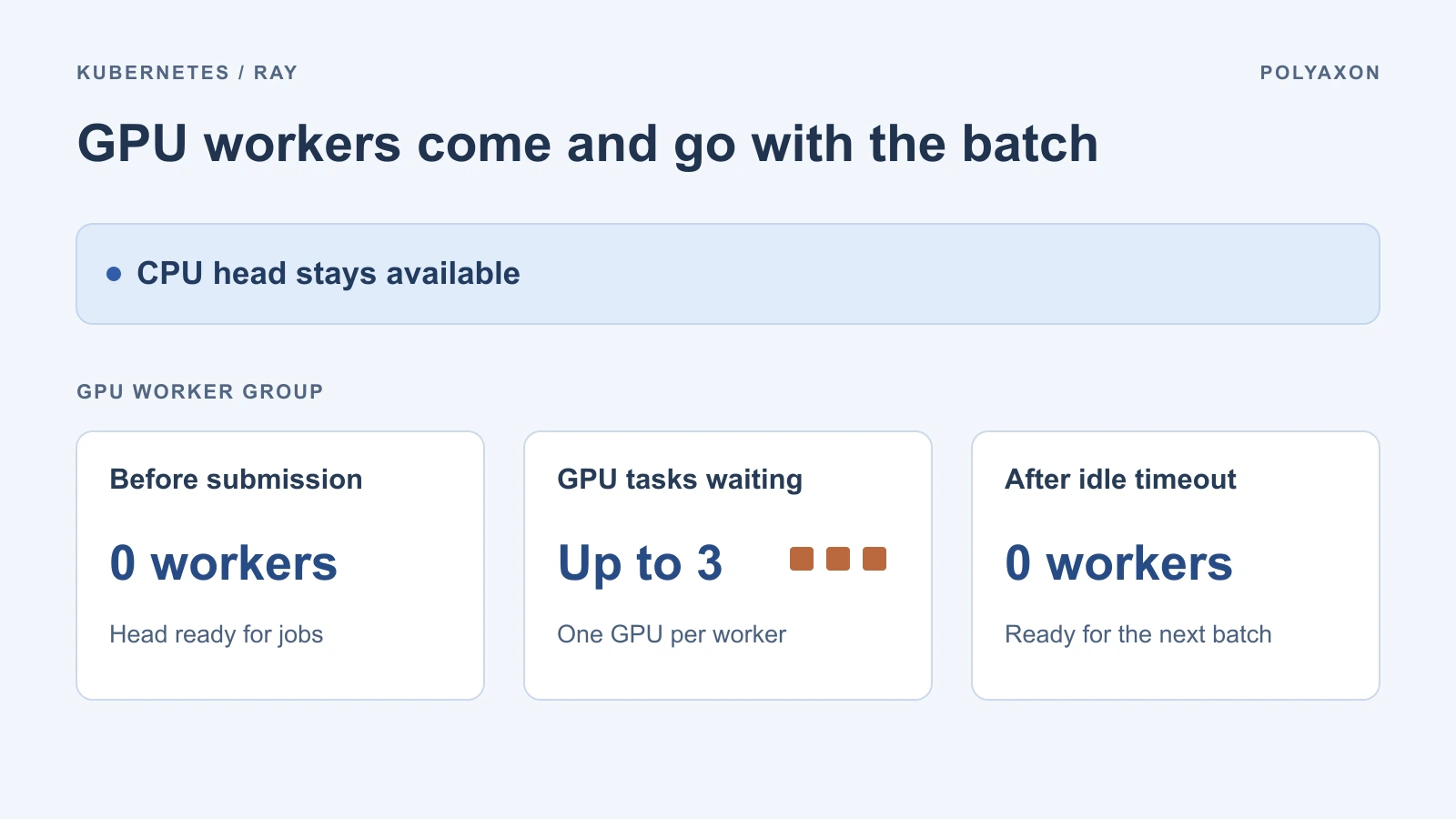
Three workers would let up to three of these tasks run at once. The actual count depends on the backlog and how quickly the workers become ready. Use the following observations to locate a delay.
| What you see | Where to look |
|---|---|
| Ray lists pending GPU demand and the worker group stays at zero | Check that autoscaling is enabled, the group can advertise the requested GPU and CPU, and its maximum exceeds zero. Inspect the autoscaler on the head. |
| Ray asks for workers and the worker Pods stay Pending | Check Kubernetes events for GPU capacity, placement, taints, and quotas. If the cluster also scales GPU nodes from zero, follow the node provisioning guide. |
| The job is done and worker Pods remain | Check the idle period, other jobs, live actors, and objects pinned by active references. A persistent actor that holds a GPU keeps its worker in use. |
Keep the Polyaxon cluster run UUID and the Ray Job ID with the batch results. For a production evaluator, write the outputs to durable storage before finishing. Ray tasks within the cluster share its Polyaxon operation. For a separate Polyaxon run per batch, use the submit-and-monitor pattern. When each task needs its own workload, use the queue dispatcher pattern. Submit and monitor Ray Jobs · Dispatch individual Polyaxon jobs
Once the workers are gone, submit another batch to observe the same head handling a fresh burst. When you're done with the cluster, stop its Polyaxon run with polyaxon ops stop -p YOUR_PROJECT -uid YOUR_CLUSTER_RUN_UUID. The GPU workers can be gone while the head and its CPU allocation remain active.