Serve DiffusionGemma on Polyaxon
Adapt Google's Gemma-on-Kubernetes deployment choices to Polyaxon with a DiffusionGemma vLLM service, a batch evaluation job, and an explicit compatibility checklist.
DiffusionGemma generates text by refining a block of candidate tokens before committing it. That gives it a different latency and memory profile from a conventional token-by-token model. A normal Gemma server configuration is not enough: the runtime must understand DiffusionGemma's sampler and attention behavior.
Google's Gemma on Kubernetes Engine overview lists several routes for the broader Gemma family: GPU serving with vLLM or TensorRT-LLM and TPU serving with JetStream. For DiffusionGemma specifically, the model card and vLLM team's implementation notes document a working vLLM path. This guide adapts that path into two Polyaxon operations: a GPU-backed service for requests and a finite GPU job for controlled evaluation. It does not assume that every runtime supporting ordinary Gemma supports this diffusion checkpoint.
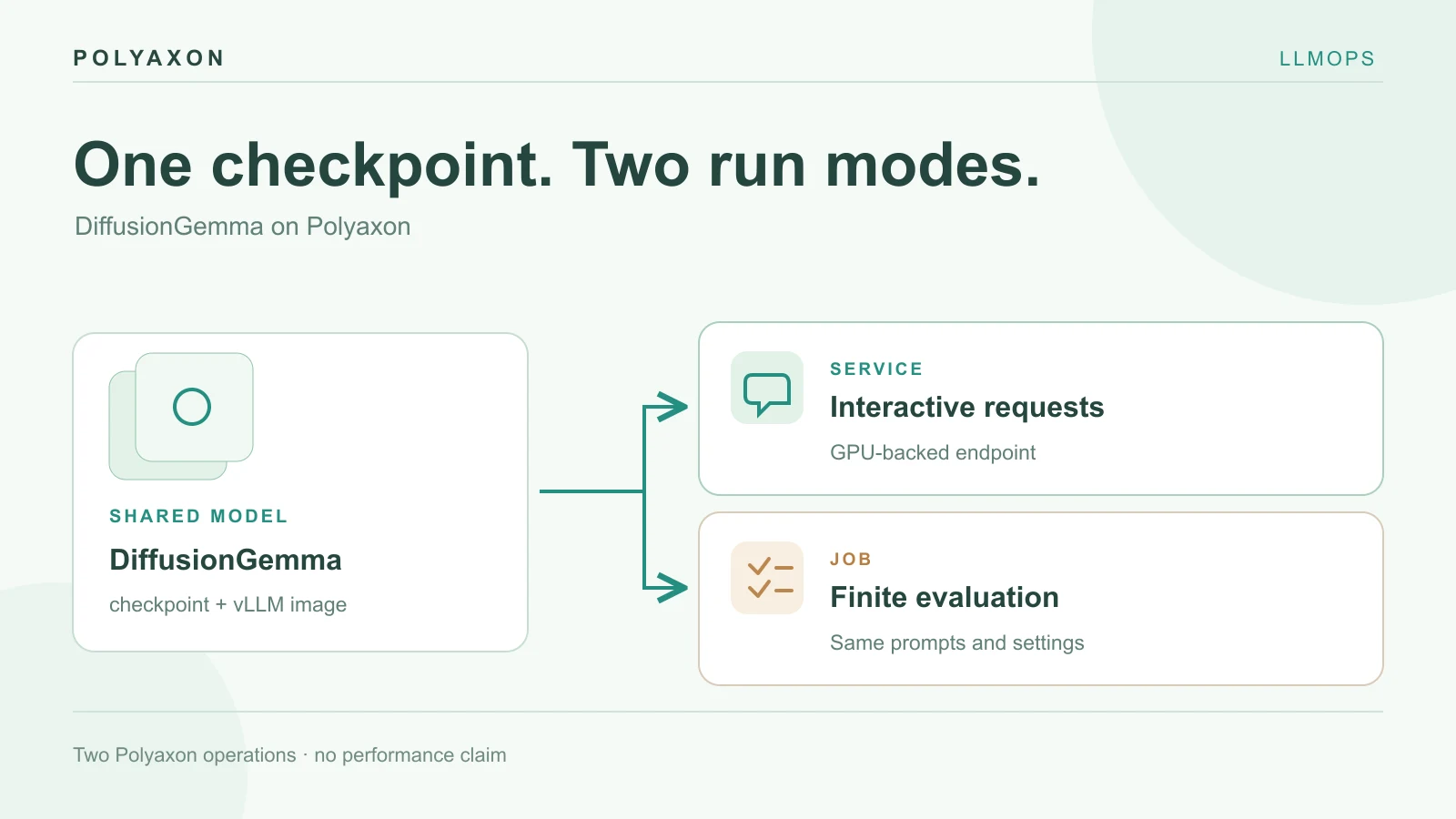
Decide which deployment you need
| Use | Polyaxon workload | What it gives you |
|---|---|---|
| Interactive application | service running vLLM | An OpenAI-compatible endpoint with explicit model, image, GPU, and context settings |
| Repeatable evaluation | job running vLLM offline | A finite run with saved configuration and logs for the same prompts |
| TensorRT-LLM or TPU JetStream | Separate compatibility project | The general GKE guide lists these for Gemma; verify DiffusionGemma support and model-specific decoding before writing a production manifest |
The DiffusionGemma developer guide describes the experimental model. Its 26B total parameters still occupy substantial weight memory even though only a subset is active per token. Google's or vLLM's benchmark numbers describe their hardware and workload, not the throughput of your Polyaxon cluster. Use a suitable NVIDIA GPU node, such as the H100-class hardware in the vLLM recipe, and confirm image compatibility, free VRAM, model access, and disk capacity.
Prepare a GPU service
Create a model-cache Polyaxon connection mounted at /mnt/model-cache. For the public model, no token is normally needed; if your registry, mirror, or model source requires a credential, pass it through a secret connection. A persistent cache avoids downloading weights on every replacement Pod.
Save this as diffusiongemma-service.yaml. It uses the vLLM Gemma image documented for diffusion support. Resolve vllm/vllm-openai:gemma to a reviewed digest for a repeatable deployment. The 8,192-token context is a deliberately smaller first setting than the model's maximum; measure your actual memory headroom before increasing it.
name: diffusiongemma-vllm
plugins:
  shm: true
service:
  ports: [8000]
  rewritePath: true
connections: [model-cache]
container:
  image: vllm/vllm-openai:gemma
  command: ["vllm", "serve"]
  args:
    - "google/diffusiongemma-26B-A4B-it"
    - "--host"
    - "0.0.0.0"
    - "--port"
    - "8000"
    - "--max-model-len"
    - "8192"
    - "--max-num-seqs"
    - "4"
    - "--gpu-memory-utilization"
    - "0.85"
    - "--generation-config"
    - "vllm"
    - "--hf-overrides"
    - '{"diffusion_sampler":"entropy_bound","diffusion_entropy_bound":0.1}'
    - "--diffusion-config"
    - '{"canvas_length":256}'
env:
  HF_HOME: /mnt/model-cache
resources:
  cpu: "8..8"
  memory: "32Gi..32Gi"
  gpu: 1
The vLLM DiffusionGemma recipe explains the unusual settings. Diffusion state buffers grow with concurrent sequences, so --max-num-seqs 4 is a cautious starting point. --generation-config vllm prevents the checkpoint's default generation limit from silently overriding request settings. The sampler and canvas flags make the intended decoding explicit. CPU and host-memory requests above are starting allocations, not measured recommendations.
Schedule the operation on a GPU queue or preset you have reviewed:
polyaxon run -f diffusiongemma-service.yaml
polyaxon ops dashboard
Wait for the checkpoint to load before reading the service URL. Then query the model listing through your deployment's authenticated service path:
: "${POLYAXON_TOKEN:?Export an authorized Polyaxon token first}"
DIFFUSION_URL=$(polyaxon ops service --external --url)
curl --fail-with-body "$DIFFUSION_URL/v1/models" \
  --header "Authorization: token $POLYAXON_TOKEN"
For a first text request:
curl --fail-with-body "$DIFFUSION_URL/v1/chat/completions" \
  --header "Authorization: token $POLYAXON_TOKEN" \
  --header "Content-Type: application/json" \
  --data '{
    "model": "google/diffusiongemma-26B-A4B-it",
    "messages": [{"role": "user", "content": "Summarize the purpose of a model review queue in two sentences."}],
    "max_tokens": 256,
    "temperature": 0
  }'
The model list shows that the server responds; the chat request checks generation. Neither proves an application-level quality or latency target. The checkpoint is documented as text and image capable, but add image traffic and multimodal flags only after validating the exact vLLM image and request schema you will ship.
Run a finite evaluation on the same model
If you need a controlled comparison rather than a long-lived endpoint, run vLLM offline inside a Polyaxon job. This example defines the script inline as a Polyaxon file initializer, so there is no companion repository dependency. It prints two synthetic outputs to the run logs. Replace them with a reviewed case set and save its source and response files as artifacts for a real study.
Save as diffusiongemma-review.yaml:
name: diffusiongemma-review
plugins:
  shm: true
connections: [model-cache]
init:
  - file:
      filename: review.py
      content: |
        import json
        from transformers import AutoTokenizer
        from vllm import LLM, SamplingParams

        model_id = "google/diffusiongemma-26B-A4B-it"
        tokenizer = AutoTokenizer.from_pretrained(model_id)
        llm = LLM(
            model=model_id,
            max_model_len=8192,
            max_num_seqs=4,
            gpu_memory_utilization=0.85,
            hf_overrides={
                "diffusion_sampler": "entropy_bound",
                "diffusion_entropy_bound": 0.1,
            },
            diffusion_config={"canvas_length": 256},
        )
        prompts = [
            "Explain why a model review queue needs an owner.",
            "List two checks before replacing an inference image.",
        ]
        for prompt in prompts:
            messages = [{"role": "user", "content": prompt}]
            rendered = tokenizer.apply_chat_template(
                messages, tokenize=False, add_generation_prompt=True
            )
            result = llm.generate(
                [rendered],
                SamplingParams(temperature=0, max_tokens=256),
            )[0]
            print(json.dumps({
                "prompt": prompt,
                "response": result.outputs[0].text,
            }))
container:
  image: vllm/vllm-openai:gemma
  workingDir: "{{ globals.artifacts_path }}"
env:
  HF_HOME: /mnt/model-cache
resources:
  cpu: "8..8"
  memory: "32Gi..32Gi"
  gpu: 1
cmd: python review.py
polyaxon run -f diffusiongemma-review.yaml
polyaxon ops logsThe service and job are separate Polyaxon operations. They should use the same reviewed image digest, model revision, context budget, prompt template, and GPU class when the purpose is a fair comparison. If the job downloads a different model revision from the service, the results are not directly comparable. The inline prompts are teaching inputs; no outputs or timings from them are claimed.
Interpret performance and end the run
Measure time to first visible output, completion time, throughput, GPU memory, failures, and output quality at the concurrency you expect. A block diffusion model can have higher time to first output while finishing a longer response quickly; the vLLM implementation write-up explains the block commit behavior. Keep output length and prompt mix comparable to an autoregressive baseline before interpreting speed.
If the service fails at startup, inspect image support for DiffusionGemma, checkpoint access, cache space, and GPU memory before changing scheduler settings. If it answers but misses your quality bar, compare prompts and outputs rather than treating a server health check as success. Polyaxon's vLLM integration and inference benchmarking guide cover the general service and measurement patterns.
Stop the selected service with polyaxon ops stop when it is no longer needed. The finite review job exits after its cases complete. Keep the model cache according to your storage policy and retain the tested configuration with any decision to promote the endpoint.