Query runs and model versions across projects
Use Polyaxon's organization and team APIs to inspect GPU workloads by agent, count model versions, and calculate job failure rates across projects.
Polyaxon 2.12 introduced OrganizationClient for querying runs and versions across an organization, with support for individual team spaces. One request covers the accessible projects in that workspace. You do not need to create a ProjectClient for each project, repeat the query, and merge the responses yourself.
That is useful for admin questions that span projects: how many GPU workloads ran on an agent this month, how often teams register model versions, or what proportion of jobs fail. The examples below use the same API at organization or team scope, with filters for agent, queue, status, resources, dates, and tracked metrics.
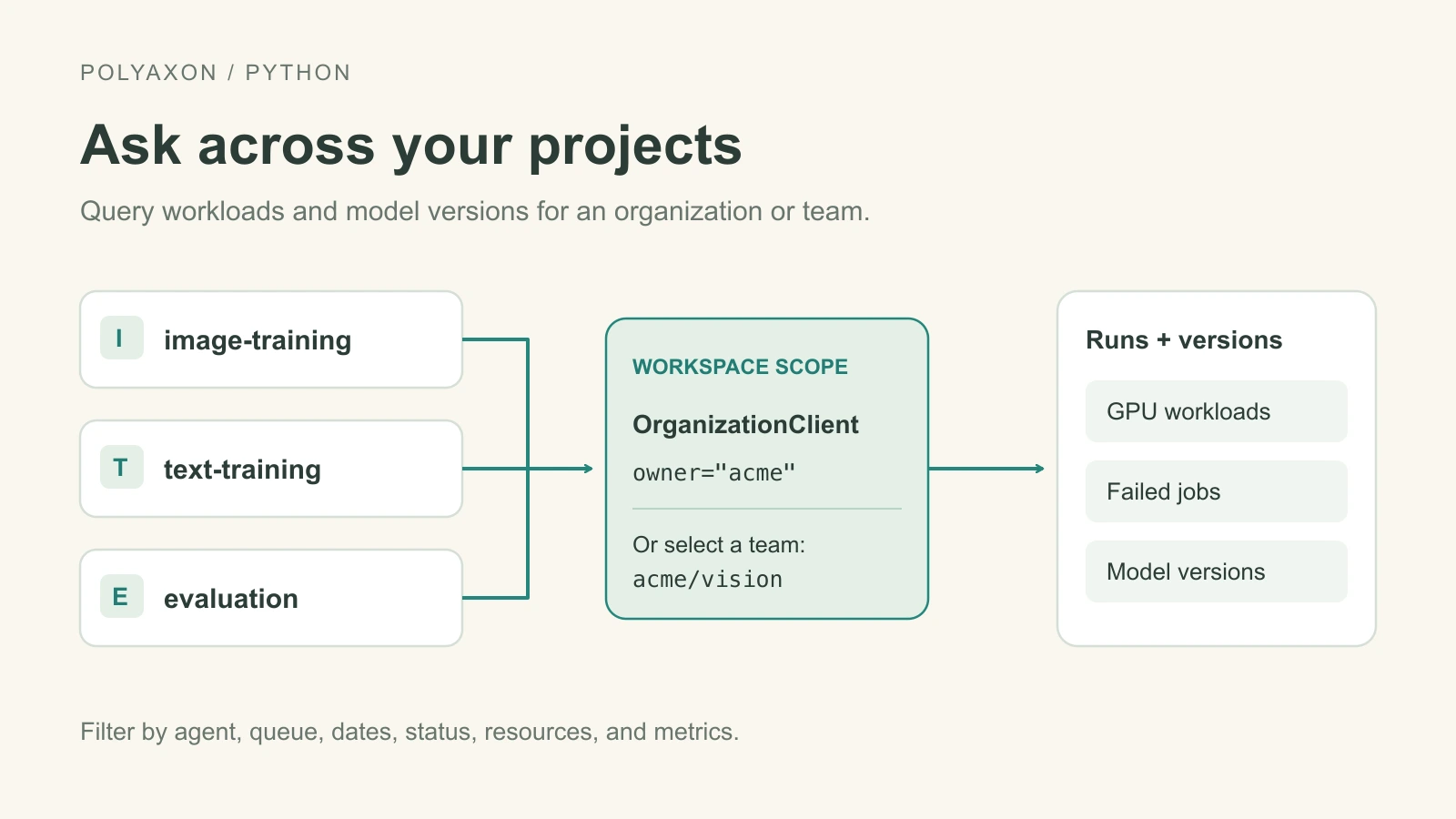
Choose an organization or team space
With the Polyaxon Python client installed and authenticated, use an organization owner for a view across its projects, or an organization/team owner for the projects in a team space:
from polyaxon.client import OrganizationClient

org = OrganizationClient(owner="acme")
runs = org.list_runs(limit=20)
models = org.list_model_versions(limit=20)

team = OrganizationClient(owner="acme/vision")
team_runs = team.list_runs(limit=20)
team_models = team.list_model_versions(limit=20)
Use acme when a question spans teams, and acme/vision when you want to focus on the vision team's projects. Both scopes respect the authenticated user's access permissions. Team spaces are part of the commercial offering; the same client and query syntax work within that scope.
The organization client also lists artifact and component versions. Each list response provides results for the requested page and count for the total matching records; use limit and offset when you need further pages.
Inspect GPU workloads on an agent
Filter runs by agent, GPU resources, and start date. This example counts GPU workloads that started on the research agent during September and lists the most recent 20:
from polyaxon.client import OrganizationClient

org = OrganizationClient(owner="acme")
page = org.list_runs(
    query=("agent:research,gpu:>0,"
           "started_at:>=2026-09-01,started_at:<2026-10-01"),
    sort="-started_at", limit=20,
)
print("GPU workloads started:", page.count)
for run in page.results or []:
    print(run.project, run.name, run.status, run.duration)
Add queue:training to focus on one queue, or use status:running to inspect current workloads. The run query language supports these filters across the selected workspace.
Run counts show how often GPU workloads are launched. To understand whether the GPUs are busy during those runs, combine this view with resource telemetry and agent and queue history.
Follow model version activity
Count model versions registered during the same period across all projects:
from polyaxon.client import OrganizationClient

org = OrganizationClient(owner="acme")
page = org.list_model_versions(
    query="created_at:>=2026-09-01,created_at:<2026-10-01",
    sort="-created_at", limit=20,
)
print("Model versions registered:", page.count)
for model in page.results or []:
    print(model.project, model.name, model.created_at, model.stage)
Use stage:production to list versions currently marked for production. For production release frequency, inspect the versions' stage_conditions and promotion timestamps: registration time and promotion time can differ. The model registry records stage changes, while version queries support date, stage, state, and tag filters.
Calculate a job failure rate
For ordinary jobs that finished during September, divide failed jobs by the total that succeeded or failed:
from polyaxon.client import OrganizationClient

window = "kind:job,finished_at:>=2026-09-01,finished_at:<2026-10-01"
org = OrganizationClient(owner="acme")
failed = org.list_runs(query=f"{window},status:failed").count
completed = org.list_runs(query=f"{window},status:failed|succeeded").count
if completed:
    print(f"Job failure rate: {failed / completed:.1%}")
else:
    print("No succeeded or failed jobs in this period")
This definition excludes stopped and unfinished jobs. Add an agent, queue, or project.name filter to compare the same population between teams or periods. All dates and names above are example query values; replace them for your deployment.
These short queries can feed an admin dashboard, a notebook, or existing monitoring. The same workspace scope applies throughout: the organization for a view across its projects, or a team owner for that team's activity.