Write shorter Polyaxonfiles
Use direct parameter values, let input and output defaults imply optionality, and simplify workload definitions with Polyaxon 2.18.
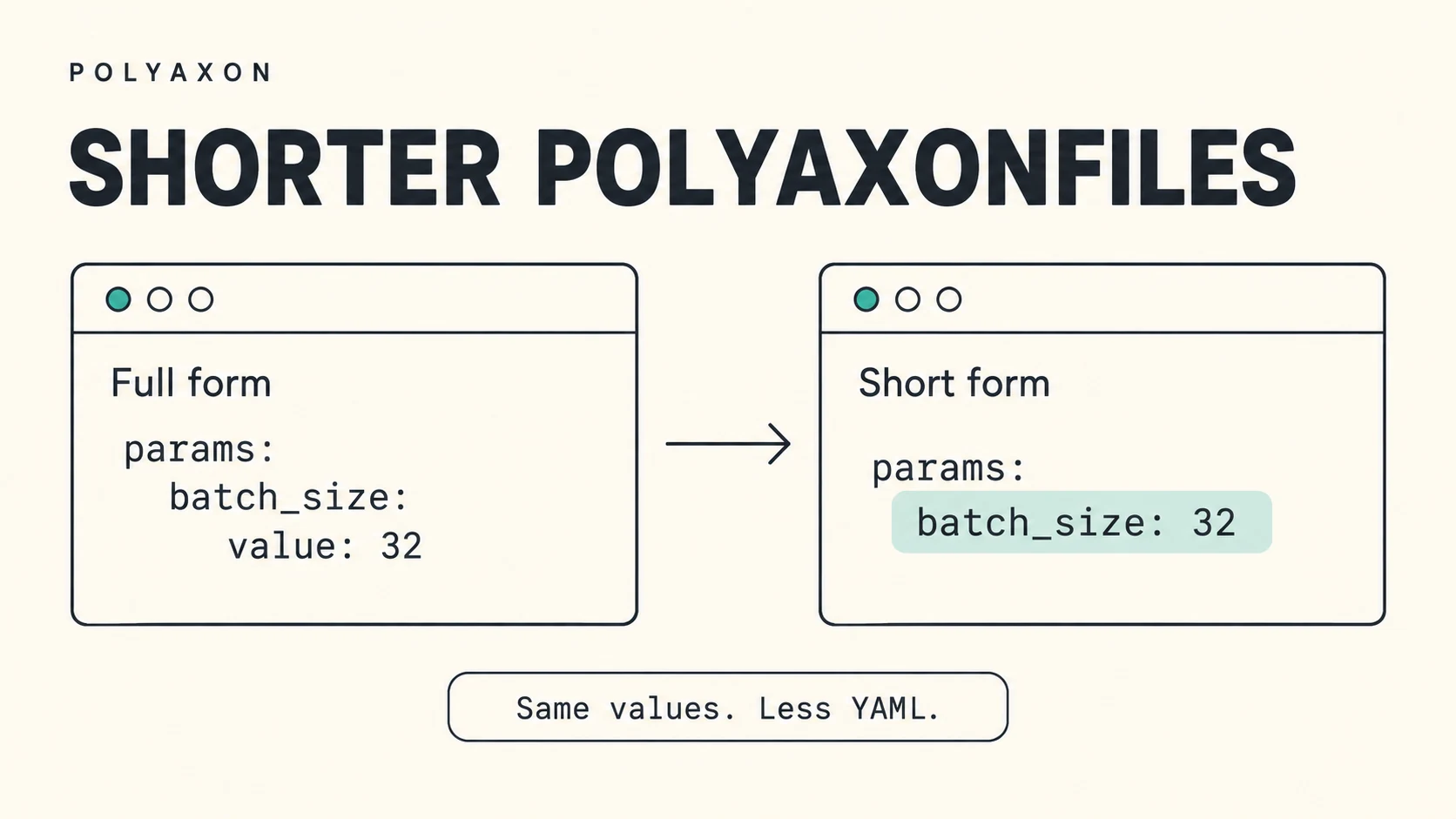
If you have been writing Polyaxonfiles for a while, you probably still wrap every parameter in a value object and add isOptional: true beside every input default. Recent releases let you shorten both patterns.
Polyaxon 2.13 introduced direct parameter values. Polyaxon 2.16.3 added optionality inference when an input or output declares a default. Together, they remove repeated fields from everyday configurations while keeping your component's types and validation rules.
Use the shorter forms when setting a training batch size, passing an evaluation configuration, or defining reusable defaults for a notebook. Start with a Polyaxonfile you already use and simplify a few entries at a time.
Give parameters their values directly
The familiar full form puts each literal under a value field:
params:
  batch_size:
    value: 32
  learning_rate:
    value: 0.001
  optimizer:
    value: adam
  preprocess:
    value: true
With Polyaxon CLI 2.13 or later, the same params section can be written as:
params:
  batch_size: 32
  learning_rate: 0.001
  optimizer: adam
  preprocess: true
Polyaxon expands these entries into the full parameter form without changing declared input or output types. Before 2.18, parameters need a matching input/output declaration unless explicitly marked contextOnly: true. Starting with Polyaxon 2.18, undeclared parameters are accepted as context values by default; strictParams: true enables undeclared-name checks. Declared IO validation still applies.
Lists and dictionaries work too:
params:
  layers: [64, 128, 256]
  config:
    optimizer: adam
    learning_rate: 0.001
Here, config is one dictionary value. Its keys are part of your configuration, rather than separate component inputs.
Keep the full form where it carries meaning
Use the full form when a parameter needs ref, toInit, toEnv, connection, or contextOnly. These fields describe how Polyaxon should resolve or handle the value. You can mix full and short forms in the same params section.
There is also one detail to remember with dictionary values. Keys such as value and ref identify a full parameter definition. If those names are part of your actual data, wrap the dictionary in value to make that clear:
params:
  batch_size: 32
  settings:
    value:
      value: 42
      ref: baseline
  config:
    value: {}
In this excerpt, settings receives the dictionary containing value and ref; ref: baseline is ordinary data. The config parameter receives an empty dictionary. Use value: {} for that case because a bare config: {} is interpreted as a full parameter definition with no value specified.
The params reference covers references, initialization, environment variables, and the other full-form options.
Let a default make an input optional
In an input or output declaration, value supplies the default. Previously, a typical input included both that value and an explicit optional flag:
inputs:
  - name: batch_size
    type: int
    value: 32
    isOptional: true
Starting with Polyaxon CLI 2.16.3, you can omit the flag:
inputs:
  - name: batch_size
    type: int
    value: 32
Declaring value makes the input optional when isOptional is omitted. A run can use the default or provide an override. The same rule applies to outputs:
outputs:
  - name: report_path
    type: path
    value: report.json
This supplies a default output path; your workload still needs to write the report.
The inference depends on whether the value field is present. Defaults such as 0, false, an empty string, and null count too. For example:
inputs:
  - name: seed
    type: int
    value: 0
  - name: preprocess
    type: bool
    value: false
  - name: checkpoint
    type: str
    value: null
All three inputs are optional. checkpoint has no concrete default checkpoint, so the workload must handle an absent value.
To require an input, leave out both the default and the optional flag:
inputs:
  - name: dataset
    type: str
Existing declarations with isOptional: true remain valid. Explicitly setting isOptional: false alongside a value is a validation error: remove the default if the caller must supply the input. See the inputs and outputs reference for the complete specification.
Put both changes in one Polyaxonfile
Save this complete example as polyaxonfile.yaml and use Polyaxon CLI 2.16.3 or later:
version: 1.1
kind: operation
name: parameter-preview

params:
  batch_size: 32
  learning_rate: 0.001

component:
  inputs:
    - name: batch_size
      type: int
      value: 64
    - name: learning_rate
      type: float
      value: 0.01

  run:
    kind: job
    container:
      image: python:3.11
      command: ["python", "-c", "import sys; print(sys.argv[1:])"]
      args:
        - "--batch_size={{ batch_size }}"
        - "--learning_rate={{ learning_rate }}"
The operation supplies params; its embedded component declares the inputs, defaults, and runtime.
Submit it to your configured Polyaxon project:
polyaxon run -f polyaxonfile.yamlThe job prints the arguments it receives. The short-form params override the defaults, so it receives --batch_size=32 and --learning_rate=0.001. Remove the params section to use 64 and 0.01 instead.
CLI overrides work as usual:
polyaxon run -f polyaxonfile.yaml -P batch_size=128Simpler workload definitions in 2.18
Polyaxon 2.18 adds flatter workload definitions using container.image, cmd, env, resources, mounts, and service. A top-level service section selects a service and holds its ports and routing settings. Execution fields without a native runtime or service section select a job. Neither requires explicit top-level kind or version fields. Existing full-format Polyaxonfiles remain supported.
For a complete before-and-after example and a service walkthrough, see Define jobs and services with simpler Polyaxonfiles.
The same release includes direct CLI options for simple runs, including --image, --cmd, and --env, plus a --sandbox shortcut for starting a service with sandbox capabilities. These options support everyday jobs and services. See the 2.18 release notes for the available options and compatibility details.
Use these workload shortcuts alongside direct parameter values and default-driven optional inputs and outputs, and simplify your upload declarations with the mount section.