From notebooks to repeatable ML jobs
Move notebook experiments into repeatable ML jobs with explicit inputs, versioned code, reproducible containers, and Polyaxon tracking.
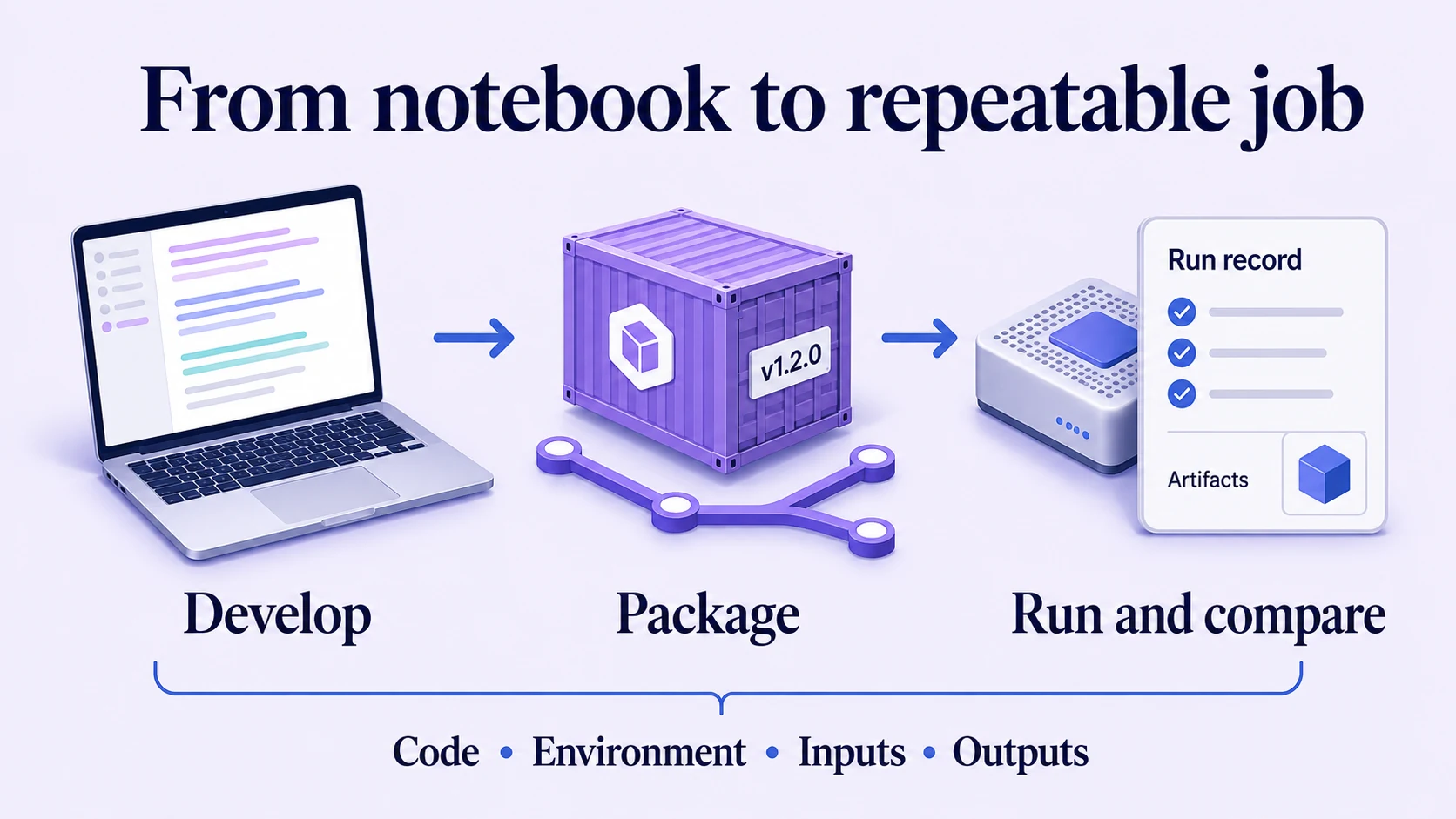
A notebook experiment becomes a repeatable ML job when someone can execute it from a clean process with explicit inputs and obtain a complete record of its outputs. Moving the file to a remote machine is only one part of that transition.
The hidden dependencies usually matter more: a variable created by an earlier cell, a package installed during debugging, a local dataset that changed yesterday, or credentials inherited from a developer's shell. Make those dependencies visible before increasing the size of the run.
Polyaxon supports interactive development, containerized execution, and experiment tracking. A productive workflow connects these capabilities while letting the training logic remain ordinary application code.
Start with a clean execution
Restart the notebook kernel and run all cells in order against a small, fixed dataset. Confirm that the notebook finishes without manual intervention and writes outputs to a known directory.
Move reusable transformations, training logic, and evaluation functions into importable modules. Keep the notebook for inspection and explanation. This gives both the notebook and the batch job the same implementation to call, reducing the chance that an interactive fix never reaches the scheduled version.
Define an entry point with arguments for data location, configuration, and output location. A command such as the following illustrates the interface your own training program should expose:
python -m training.run \
  --data /data/snapshot-2026-07 \
  --config configs/baseline.json \
  --output /outputs/baseline
Here, training.run, the configuration file, and the data snapshot belong to your project. The command is an interface example, not a bundled Polyaxon trainer. Make invalid arguments or missing data fail clearly before expensive computation starts.
Decide what belongs in code and configuration
Keep model behavior in versioned code. Expose values that are intended to vary between runs as explicit parameters. Put cluster-specific access and placement settings in the platform configuration rather than copying them into every training script.
| Concern | Keep it in | Reason |
|---|---|---|
| Training and evaluation logic | Source repository | Changes can be reviewed and tested together |
| Libraries and system dependencies | Container build and lockfiles | The execution environment can be recreated |
| Learning rate, seed, dataset revision | Run inputs | Comparisons can explain what changed |
| GPU placement and resource requests | Component or scheduling preset | Execution needs remain visible |
| Storage and private repository access | Configured connections | Credentials do not become model parameters |
| Results and artifacts | Run output storage | Another person can inspect the completed work |
A Polyaxon component describes how to execute the workload. An operation applies parameters and execution settings to that component. Reusing the definition makes it easier to compare runs without maintaining a different script for every environment.
Choose a code-delivery workflow deliberately
During exploration, uploading local code is useful for testing changes before publishing them to a repository. Review .polyaxonignore so the uploaded snapshot contains the required files and excludes unrelated local material. Inspect the run's lineage to see the actual uploaded input.
For a shared experiment or automated workflow, use a source revision that the execution environment can retrieve. Polyaxon's Git preset workflow records the repository and selected commit.
For example, with the CLI already authenticated and an accessible quick-start project, the existing Polyaxon quick-start repository demonstrates this path:
git clone https://github.com/polyaxon/polyaxon-quick-start.git
cd polyaxon-quick-start
polyaxon init -p quick-start --polyaxonignore
polyaxon init --git-url=https://github.com/polyaxon/polyaxon-quick-start
polyaxon run -f scheduling/git-integration/simple.yaml --git-preset
When adapting the workflow to your own repository, commit and push the intended code before submitting it. The remote execution cannot pull an unpushed local commit. Configure a Git connection for private repository access.
The quick-start demonstrates the mechanics. For a reproducibility-sensitive workload, also pin the container digest and data revision; a fixed Git commit does not freeze a mutable container tag or dataset.
Reconcile the development and execution environments
Use a compatible dependency set for interactive work and batch execution. A Polyaxon sandbox can place development tools near the data and compute used by your jobs. Changes made in a running environment still need to be captured in source or a container build before another run can reproduce them.
Watch for differences in architecture, CUDA support, filesystem paths, and installed system libraries. Validate imports and data loading in the actual job image before running a large training budget. A successful notebook session is not a substitute for that check.
Make the run explain itself
Record parameters before training and report metrics with clear names and steps. Save evaluation outputs alongside the model so a reviewer can inspect errors rather than only the final score. Polyaxon's tracking guide introduces those records, and its run comparison view brings them together.
Include failures in the workflow. If evaluation crashes after training finishes, the existence of a checkpoint should not make the overall job appear ready for release. Return a failing exit status and preserve the logs needed to diagnose the problem.
Use a second developer as the handoff test
Ask a colleague to run a small configuration from a clean checkout, inspect its data and code references, locate its artifacts, and change one parameter. They should not need the original notebook kernel or an undocumented shell session.
Once that works, share the component through the component hub and connect it to pipeline orchestration. The same execution interface can then support experimentation, scheduled retraining, and evaluation without hiding the inputs that distinguish them.