How to improve GPU utilization
A practical guide to improving GPU utilization by diagnosing queue delays, input bottlenecks, resource fragmentation, sharing, and recovery overhead.
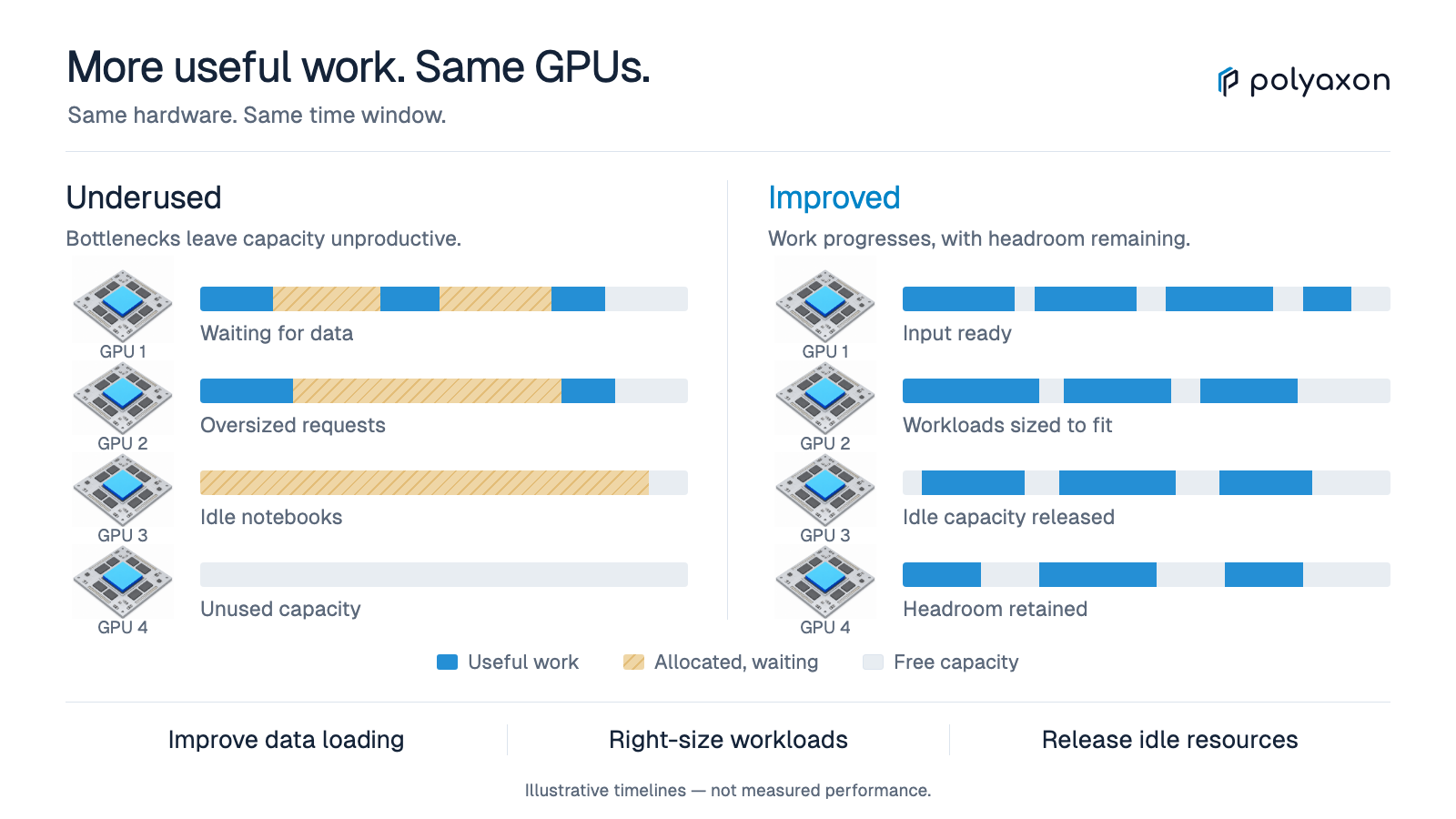
Improving GPU utilization means completing more useful work with the resources available. It does not mean making every utilization graph approach 100%. A change that keeps GPUs busy but increases retries, harms model quality, or delays important work is not a successful optimization.
The right first step depends on where time is lost. A job held by a concurrency limit, a pod waiting for an eligible node, and a training process waiting for input need different fixes. This guide follows that execution path so each change has a clear hypothesis and a measurable result.
Establish a comparable baseline
Choose a representative workload and record its code, data version, container, accelerator model, resource request, and configuration. Measure queue delay, startup time, steady-state throughput, total duration, resource-hours, and the output's acceptance criteria.
Repeat enough runs to understand ordinary variation. Compare like-for-like conditions, and report warmup or cache effects rather than silently removing them. Use the GPU metrics guide to distinguish allocation from activity and useful throughput.
Write down the expected mechanism before changing anything. For example: “Input preparation leaves gaps between steps; increasing loader parallelism should reduce those gaps without increasing failures.” That is easier to validate than “raise utilization.”
Find the stage that is not progressing
| Workload state | Inspect first | Candidate intervention |
|---|---|---|
| Waiting in the orchestration queue | Dependencies, concurrency, routing, and queue policy | Correct the gate or adjust a justified limit |
| Admitted but pods remain pending | Resource shape, node eligibility, group requirements, and scheduling events | Fix incompatible constraints or placement policy |
| Pods start slowly | Image pulls, mounts, initialization, and data staging | Reduce startup overhead or prepare inputs earlier |
| Running with gaps in computation | Input pipeline, CPU pressure, synchronization, and storage | Profile and address the runtime bottleneck |
| Running but producing little valid output | Application progress, numerical behavior, and retries | Fix correctness or recovery before packing more jobs |
Start with evidence from the relevant controller and application. A cluster-wide free-GPU count does not explain whether a particular pending workload can fit.
Release GPUs from work that does not need them
Audit stage-level requests. Data validation, preprocessing, report generation, and artifact transfer may not require the same accelerator as training. Split stages when the release of GPU capacity outweighs the extra startup and data-transfer overhead.
Check long-lived services too. A forgotten GPU notebook can block the next experiment even if its process is healthy. Polyaxon supports absolute service timeouts and activity-based culling. For example, this preset fragment caps a service at 24 hours:
# Preset fragment: an absolute limit, not an idle detector.
termination:
  timeout: 86400
An absolute timeout can stop active work. Set expectations with users, persist important state, and choose a policy appropriate to the service. For idle-based cleanup, validate the activity probe; low GPU activity alone does not prove that a notebook is abandoned.
Keep the input pipeline ahead of the accelerator
If computation repeatedly waits for the next batch, examine storage latency, decoding, transformations, CPU availability, and host-to-device transfer. Measure these phases before changing the model or scheduler.
PyTorch's performance tuning guide describes asynchronous data loading with worker processes and pinned memory for GPU workloads. Tune these settings against the CPU, RAM, and storage available to the container. More loader workers are not automatically better, especially when many jobs share the same host or storage service.
Test one change at a time. Accept it when application throughput improves and the input pipeline remains stable under realistic concurrent load. Reject it if memory pressure, storage contention, or repeated initialization erases the gain.
Tune the application without changing the objective
Once the device receives work consistently, investigate batch size, operation shapes, precision, and synchronization overhead. Keep the quality target fixed while evaluating resource efficiency.
Automatic mixed precision is one candidate for compatible PyTorch workloads. Its benefit depends on the hardware and operations involved; a CPU-bound workload may see little improvement. Validate numerical behavior and convergence rather than assuming a precision change is transparent.
A larger batch can also change optimization behavior and memory requirements. Compare time to the required result, not only examples per second. For serving workloads, test the latency distribution under representative traffic, since a throughput-oriented batching change may make individual requests wait longer.
Record both the successful configuration and the experiment that justified it. A reusable preset should carry a known workload boundary, not become an unexplained cluster-wide default.
Address fragmentation and distributed-worker delays
Suppose a job requires four GPUs on one node, but the only free devices are spread across several nodes. Increasing its priority may change who waits without creating the required placement. Inspect node-level capacity, CPU and memory requests, selectors, taints, and topology requirements together.
For fixed-size distributed training, partial worker placement can consume resources without making progress. A compatible gang-scheduling policy can address group admission or placement, but it cannot repair a broken image or a slow worker's data path.
Also test whether the requested worker count is efficient. In an illustrative comparison, four GPUs finishing in one hour consume four GPU-hours; eight finishing in 45 minutes consume six GPU-hours. The larger job is faster but uses more capacity per result. Which option is preferable depends on deadlines and competing demand.
Treat GPU sharing as a workload-specific choice
Sharing can help when a workload needs less than a full device, but its isolation model matters. NVIDIA's GPU sharing documentation distinguishes MIG partitions on supported hardware from time-sliced access. Time-slicing does not provide memory or fault isolation, and requesting more advertised shares does not guarantee proportionally more compute.
Before adopting a sharing mode, test concurrent memory peaks, throughput interference, failure behavior, and latency. Keep incompatible workloads on separate resources. A successful single-process benchmark is not evidence that several tenants can safely share the device.
Make interruptions inexpensive before using them broadly
Preemption and interruptible capacity can improve access for other workloads, but repeated lost work can erase that benefit. Test recovery from a real process or worker interruption, not just saving and reloading weights in the same session.
Verify that checkpoints are readable from the replacement execution, contain the required application state, and do not expose partial outputs as completed results. Measure checkpoint overhead, restart delay, and recomputation. Polyaxon's resume and restart documentation describes the execution controls; the application still defines what can be restored.
Roll out the smallest verified change
Use a limited queue, workload class, or resource pool for the initial rollout. Keep a rollback condition such as increased failure rate, worse tail latency, or higher resource-hours per accepted result.
Polyaxon's concurrency controls and environment configuration provide ways to scope workload settings. For scheduler-specific changes, check the integration comparison before assuming a policy is supported for every runtime.
After the rollout, measure the complete path again. A good optimization removes a demonstrated bottleneck while preserving correctness and access for other users. The useful outcome is more reliable work completed—not a busier graph.
If workloads cannot start, follow the Pending GPU job debugging guide. If shared access is the proposed change, compare MIG and time-slicing using memory requirements and measured performance under co-load.